
Docs · guide
A free alternative to Microsoft Word: four of them
By Alberto Gulotta · Updated · 7 min read
Looking for a free alternative to microsoft word usually starts the same way: a word document arrives, you double-click it, and nothing happens — or something opens it badly. It is one of the most ordinary computing problems there is, and the paid answer is the least necessary of the four available.
Microsoft itself gives away a version of Word that runs in a browser. It is not a trial and it does not expire; it is simply a smaller product, and Microsoft publishes exactly how much smaller.
Where the free version actually stops is a screen size, which is the least intuitive line Microsoft draws and the one that matters on a tablet. In its comparison of the plans, the free column against installing the apps on phones and tablets reads: “Basic editing only on tablets or phones under 10.1 inches.” So the same free account edits a document fine on a phone and on a small tablet, and turns read-only on a large one. Nothing has expired and nothing is misconfigured — the screen crossed a threshold.
How to tell which one you have, without hunting through billing. Microsoft puts a badge on the account: “A Free badge means an active Microsoft 365 Personal, Family, Premium, or Pro subscription isn’t associated with the account you signed in with. Only the free web versions of Word, Excel, and PowerPoint are available to you.” Signing in at Microsoft365.com and looking at that badge settles in one glance a question that otherwise takes a support call — and the free apps are reached from the same place, through the app launcher.
The offline question, which the free route answers badly. A browser version needs a browser, and that means a connection. Microsoft is explicit that the paid desktop apps do not: once installed, “you don’t need to be online to use Microsoft 365”, with internet needed only for the first install, the initial activation, updates and managing the subscription — plus reaching anything kept on OneDrive, unless the OneDrive desktop app is installed too. If you work on trains or in buildings with bad signal, that is the real difference between the free answer and the paid one, and it is a more honest reason to pay than any feature list.
One more thing worth knowing if the account came from an employer or a university rather than from you. Microsoft’s note on the web apps is that “what’s available depends on what’s been configured by your organization”, so a missing button on a work account is often a policy somebody set rather than a limit of the free product. Worth checking before concluding the free version cannot do something: on a personal account it may well be there.
| Free web apps | What Microsoft says you get | What you do not |
|---|---|---|
| Word, Excel, PowerPoint | “Only the free web versions of Word, Excel, and PowerPoint are available to you.” | The desktop applications |
| Storage | “5 GB of cloud storage so you can access your files from anywhere.” | The 1 TB that comes with a paid plan |
| Updates | Security updates | New features, and AI-powered features |
| Support | — | Technical support |
Quoted from Microsoft’s own comparison of the paid subscription and the free web apps, read 21 August 2026.
The searches show how varied the situation is. Word document is the plain problem. Docx is the same problem stated by somebody who has looked at the file extension. Word online means they have decided a browser is fine, and microsoft word free means they have decided it should not cost anything. Libreoffice writer and wps office are people who already know there are free suites — and wps office is searched enormously outside Europe and North America. A word alternative or a free word processor is somebody choosing deliberately rather than reacting.
That table decides most of this guide. If a browser is acceptable, the free web version handles a .docx faithfully because it is made by the people who invented the format. If you need to work offline, or on a machine that will not stay signed in, the free desktop suites take over — with a compatibility cost this guide is specific about.
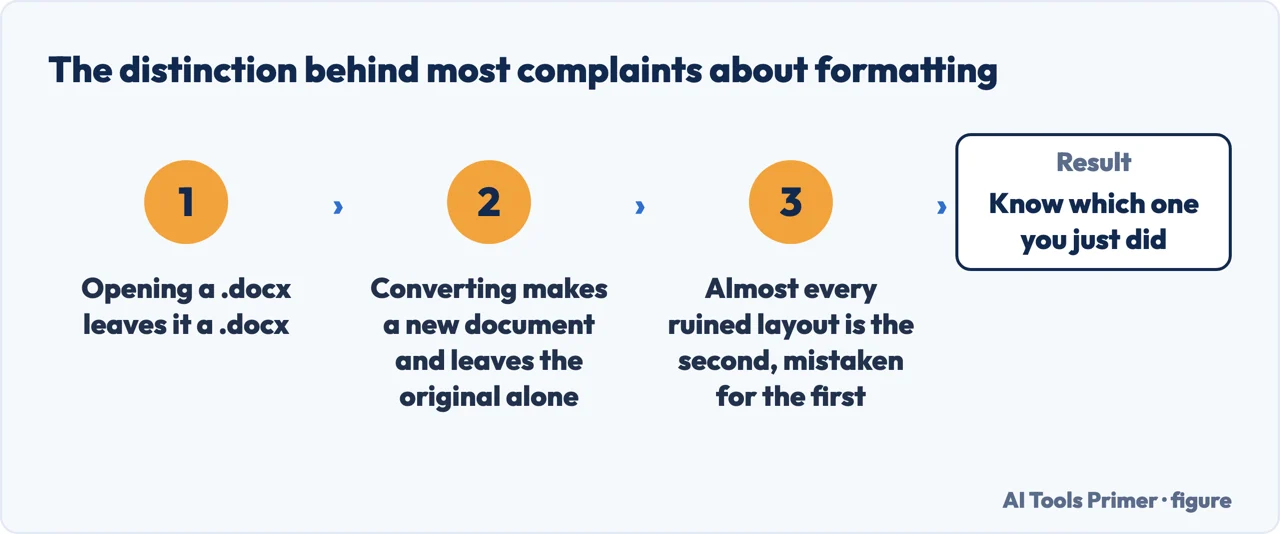
One of the alternatives documents exactly what it does to the file. Google Drive keeps two modes apart: you can “open, edit, and save Office files” as they are, or “convert Office files to Google Docs, Sheets, or Slides”. The first leaves a .docx a .docx; the second makes a new document and leaves the original where it was. Almost every complaint about a free alternative “ruining” a file comes from not knowing which of the two just happened — and the same distinction exists, under other names, in every alternative on this page.
The plural forms tell you what people are really after. Free alternatives to microsoft word and microsoft word alternatives are typed by somebody who wants a shortlist rather than one recommendation, because they have been burned by a single suggestion that could not open the file they were sent. That is why this guide gives four and says what each one does to a document, instead of naming a winner nobody can check.
Where to start
Five ways in.
- “Someone sent me a .docx and I cannot open it.”
- Start at opening it now
- “I need to edit it and send it back.”
- That is opening it now
Opening it now
The fastest routes, in order. Nothing here costs money and two of them need nothing installed at all.
Not covered here. It will not tell you to buy Office by default. Microsoft gives away a web version of Word and publishes precisely what it leaves out; that comparison belongs at the top of the page, not buried under a recommendation.
It will not rank the free suites yet. That verdict needs the same awkward documents opened in each of them, and a published account of what moved — which is a test rather than a table.
And it will not pretend compatibility is perfect. A .docx opened outside Word is a very good reconstruction, not a copy, and the wing about what changes exists so nobody discovers that while sending a contract back.
One practical note that saves more trouble than anything else on this guide. If you are the one sending the document and the recipient does not need to edit it, send a PDF instead. It removes every compatibility question at once: the fonts are carried inside the file, the page breaks cannot move, and it opens identically on a phone, a decade-old laptop or a machine with no office software at all. The only reason not to is that somebody has to type into it — which is precisely the case where the wings above apply. What holds instead is simple: the free web version of Word comes from Microsoft, and its limits are quoted from Microsoft.
Sources
- Microsoft on the difference between a paid Microsoft 365 subscription and the free web apps — support.microsoft.com, read 16 September 2026.
- Microsoft on getting started with Office for the web — support.microsoft.com, read 6 September 2026.
- Google Drive Help — Work with Microsoft Office files: editing a file in its own format against converting it, which is the distinction behind most formatting complaints — support.google.com, read 4 September 2026.
Written by Alberto Gulotta
Founder and editor of AI Tools Primer, writing from Palermo, Italy. Thirty-five years of taking computers apart, starting with a Commodore 64 — the long version is on the about page.
Something wrong on this page? Write to aitoolsprimer@gmail.com and it gets fixed.
Written on 21 August 2026 · last checked 16 September 2026.
Independence and limits
No affiliate links and no paid placements anywhere on this site. Nobody pays to appear here, and no company has seen this page before you did.
This is general information, not professional advice. Where a page touches money, health, safety or the law, it names its source and the date it was read — and your situation may still differ. See the privacy page and the cookie policy.