
Software · guide
How to upgrade to Windows 11, and what if you cannot
By Alberto Gulotta · Updated · 9 min read
How to upgrade to windows 11 became an urgent question rather than an optional one when support for Windows 10 ended. The upgrade itself is the short part of this guide. What to do when the upgrade is refused is the part where the money is at stake.
You are in one of three situations
And only the first one is the question this question sounds like.
Windows 10 reached the end of support on 14 October 2025. After that date Microsoft provides no “Technical support of any issue”, no “Software updates”, and no “Security updates or fixes”. Nothing switched off — the difference is invisible on the day and grows every month afterwards.
What a PC has to have
Microsoft’s published minimum requirements, read 21 August 2026.
| Component | Minimum |
|---|---|
| Processor | “1 Ghz or faster with 2 or more cores and appearing on our list of approved CPUs” |
| Memory | “4 GB” |
| Storage | “64 GB or larger storage device” |
| Firmware | “UEFI … and Secure Boot capable” |
| Security chip | “Trusted Platform Module (TPM) version 2.0” |
| Graphics | “Compatible with DirectX 12 or later with WDDM 2.0 driver” |
| Display | “High definition (720p) display that is greater than 9” diagonally” |
| Setup | “Windows 11 Pro for personal use and Windows 11 Home require internet connectivity and a Microsoft account during initial device setup” |
The two rows in bold are the ones that stop most machines, and neither is about speed. A perfectly fast computer can fail on TPM 2.0 or Secure Boot alone — sometimes because the feature is present but switched off in firmware, which Microsoft acknowledges by pointing to “steps you can take to enable this”. Worth checking before concluding the machine is finished. And note the last row, which surprises people at the worst moment: a Microsoft account and an internet connection are required during setup.
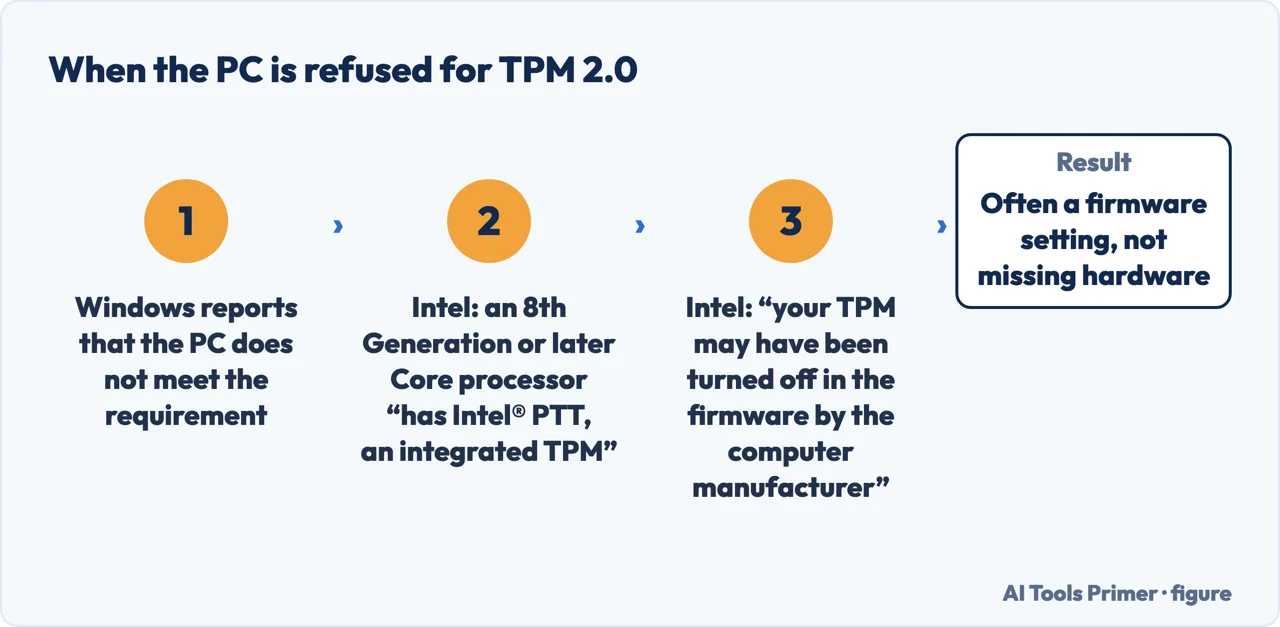
On the TPM row specifically, the chip maker is more useful than the operating system maker. Intel publishes what most machines refused on that requirement actually have: “If you have purchased a PC in the last several years, it’s highly likely that you already have a TPM capable of running TPM 2.0 installed on your computer. However, it’s possible that your TPM may have been turned off in the firmware by the computer manufacturer and may require you to enable it to meet the new requirement.” It is more specific still about which machines: “If your computer is based on the 8th Generation or later Intel® Core™ Processor family, then your system has Intel® PTT, an integrated TPM that adheres to the 2.0 specifications” — a TPM that “resides in the system’s firmware” rather than being a separate chip. Intel’s own next instruction is the honest one, and it is why this page cannot give you the menu: “Refer back to your motherboard vendor for support on this inquiry.” Where the setting lives depends on whose firmware it is.
If the PC cannot be upgraded, you are not out of time. Microsoft: “the consumer Extended Security Updates (ESU) program can protect your Windows 10 device till October 12, 2027.”
That is the sentence to read before buying a computer in a hurry. An unsupported machine is not a machine that must be replaced this month; it is one with a dated horizon and a decision to make calmly. Almost every page urging immediate action about this has something to sell.
A machine that fails the check does not fail it in one way, and the page that lists the requirements also sorts them into repairable and not. The processor is the one with no appeal: “the clock speed (the 1 Ghz or faster requirement) and number of cores (2 or more) are inherent to the processor design as it was manufactured and are not considered upgradable components.” If the CPU is the reason, the answer is a different computer, and no setting or purchase changes it.
The other two are hedged in the opposite direction. On memory: “if your PC has less than 4GB of memory, there are sometimes options for upgrading to get additional RAM.” On storage: “if your PC does not have a large enough storage drive, there are sometimes options for upgrading the drive.” In both cases Microsoft points outward rather than promising — “you may want to consult your PC manufacturer’s website or with a retailer to see if there are easy and affordable options”.
Which turns a single red cross into a decision worth making in order. Read which requirement failed before pricing anything: a RAM or storage failure is a part and an afternoon, and a processor failure is the end of the conversation for that machine.
The upgrade route itself, when the machine qualifies, is unremarkable and free: it is offered through Windows Update, and Microsoft’s own compatibility check tells you where you stand before you start. If it is offered, the honest advice is to take it — and to take a backup first, which is advice that applies to every operating system upgrade ever made and is ignored every time.
The part to be careful about is what the internet suggests when the answer is no. There are widely shared methods for installing Windows 11 on hardware that does not meet the requirements. This guide is not going to walk you through one. Not out of caution for its own sake, but because the requirements the machines fail are the security ones — TPM 2.0 and Secure Boot — and a route around them delivers an operating system whose update path and support position are, at best, unclear. If the reason for upgrading is security, a workaround that removes security features has answered a different question.
The related searches show where people are in the process. How to install windows 11 is somebody past the decision. Windows 11 minimum requirements and how much is windows 11 are people working out whether it applies to them and what it costs. And when did windows 11 come out is often asked by somebody trying to date the machine in front of them — which, as it happens, is a reasonable first move: a PC bought before late 2021 is the one most likely to fail the two rows above.
Where to start
Four ways in.
- “It qualifies. What now?”
- Go to doing the upgrade
- “I want to stay on Windows 10.”
- That is staying put
Doing the upgrade
The straightforward path, done in the order that means a bad day stays a small one.
Staying put
A legitimate choice for a while, provided it is a choice rather than a delay. This wing is about doing it with your eyes open.
Not covered here. It will not tell you to buy a new computer. Microsoft has published a date two years out for machines that cannot upgrade, and any urgency beyond that is somebody else’s sales calendar.
It will not walk you through installing Windows 11 on unsupported hardware. The requirements those machines fail are the security ones, and a workaround that removes them has not solved the problem you had.
And it will not pretend the upgrade is nothing. It is an operating system change on a machine holding your work, and the guide that says “back up first” is not filler. What holds instead is simple: every requirement and date on this page is quoted from Microsoft’s own support documentation.
Sources
- Microsoft Support — Windows 11 system requirements — support.microsoft.com, read 6 September 2026.
- Microsoft Support — Windows 10 support has ended on October 14, 2025, including what stops being provided and the consumer Extended Security Updates programme — support.microsoft.com, read 6 September 2026.
- Intel Support — What Is Trusted Platform Model (TPM) and Its Relation to Intel® Platform Trust Technology (Intel® PTT)? (that Intel PTT is an integrated TPM which adheres to the 2.0 specifications and resides in the system’s firmware rather than as a separate chip; that a PC bought in the last several years is highly likely already to have a TPM capable of running TPM 2.0; that the TPM may have been turned off in the firmware by the computer manufacturer and may need to be enabled to meet the new requirement; that a computer based on the 8th Generation or later Intel Core processor family has Intel PTT; and the instruction to refer back to the motherboard vendor) — www.intel.com, read 5 September 2026.
Written by Alberto Gulotta
Founder and editor of AI Tools Primer, writing from Palermo, Italy. Thirty-five years of taking computers apart, starting with a Commodore 64 — the long version is on the about page.
Something wrong on this page? Write to aitoolsprimer@gmail.com and it gets fixed.
Written on 21 August 2026 · last checked 5 September 2026.
Independence and limits
No affiliate links and no paid placements anywhere on this site. Nobody pays to appear here, and no company has seen this page before you did.
This is general information, not professional advice. Where a page touches money, health, safety or the law, it names its source and the date it was read — and your situation may still differ. See the privacy page and the cookie policy.