
Web · guide
How long does it take to transfer a domain, and what stops the clock
By Alberto Gulotta · Updated · 10 min read
The answer to how long does it take to transfer a domain is written down, in a policy anybody can read, and the deadlines in it are short. What turns a transfer into a wait of weeks is a different thing entirely: a lock, and usually one triggered before the transfer was even started.
Everything on this guide comes from ICANN’s Transfer Policy and its own guidance for registrants. Every ICANN-accredited registrar is bound by that policy, which makes it the thing to quote back when a support reply and the rulebook do not match — and it is public, with numbered clauses, so quoting it is easy.
“3.5 Failure by the Registrar of Record to respond within five (5) calendar days to a notification from the Registry regarding a transfer request will result in a default ‘approval’ of the transfer.”
“6.2 The Registry Operator shall complete the requested transfer unless, within five (5) calendar days, Registry Operator receives a NACK protocol command from the Registrar of Record.”
Those two clauses of ICANN’s Transfer Policy invert the shape the process appears to have. Once the request reaches the registry, the default is that the transfer happens. The registrar you are leaving is not asked to approve it; it is given five calendar days to object, and clause 3.5 records doing nothing as approval. A transfer that looks stuck may simply be inside that window.
It is worth being concrete about what that changes. Chasing the registrar you are leaving, and asking it to release the name, is asking for something these clauses do not require it to give. It is the gaining registrar that sets the transfer in motion with the registry, and the losing one holds a right to object inside a window rather than a power to consent. If it stays quiet, the move proceeds.
Every clock in the policy is five calendar days
They run one after another, not together, which is where the total comes from.
- Getting the code and the lock off
- Clause 5.2: registrars “must provide the Registered Name Holder with the unique ‘AuthInfo’ code and remove the ‘ClientTransferProhibited’ within five (5) calendar days” of the request — if they do not give you a way to do it yourself. Where the control panel lets you generate the code, this step is minutes.
- The registry’s window
- Clauses 3.5 and 6.2: the registry completes the transfer unless the old registrar objects within five calendar days. Silence completes it.
- Paperwork between registrars
- Where the registrar you are leaving asks the new one for a copy of the authorisation form, that must be supplied within five (5) calendar days — and failing to is “grounds for reversal”.
- If a transfer is undone
- The registry “must undo the transfer within five (5) calendar days” of a qualifying notice — or fourteen calendar days in the case of a registry dispute decision, unless a court action is filed.
The policy does not publish a total, so what follows is arithmetic rather than a quotation: the two deadlines a registrant actually waits on are the one for getting the code and the lock removed, and the one at the registry. Five plus five. Where the registrar offers self-service for the first, only the second is left. What the quoted clauses do establish is narrower than a guarantee and still worth having: at the registry stage, not answering is not a way to stop a transfer.
What can stop it entirely is a different matter, and it is worth knowing the two lists. ICANN sets out circumstances where a registrar may deny a transfer — evidence of fraud, a reasonable dispute over who authorised it, money owed for a previous registration period, an express written objection from the holder, the name being in Lock status — and a separate list where it must deny, covering names subject to a UDRP, URS or TDRP proceeding, or a court order. There is also a procedural right attached: your registrar “is required to specify a reason when denying your transfer request unless they are required to deny it.”
The three sixty-day rules, and which is which
- Within 60 days of initial registration — your registrar may deny the transfer. A brand-new name is not necessarily portable.
- Within 60 days of a previous transfer — your registrar may deny it again.
- Within 60 days of a Change of Registrant — your registrar must deny it. ICANN lists this among the circumstances where a registrar has no discretion at all.
The third is the one to read twice, because unlike the other two it has nothing to do with the age of the registration. It is triggered by an edit — and by one you might well make on the way to transferring.
“If your ultimate goal is to transfer the domain name, you may want to consider completing the transfer process before changing your contact information.”
That is ICANN’s own advice, and it is the single most useful sentence on the subject. The Change of Registrant lock is triggered by changing “the registrant name, organization or email address (or the Administrative Contact email address, if there is no registrant email address)” — the exact tidying-up somebody does when they decide to take their domain in hand. Do it first and you have locked yourself out of moving for two months. ICANN notes that some registrars may offer an opt-out, but adds that the registrar does not have to offer this option, and that the rule exists to protect against unauthorised transfers.
On the code itself, the policy gives you two routes and a deadline. Registrars either “allow you to create your own AuthInfo code through their website or customer service team”, or must “provide the AuthInfo code within five calendar days of your request”. The same clause covers the transfer lock: where there is no self-service way to remove ClientTransferProhibited, the registrar has five calendar days to remove it after you ask. Both halves are obligations rather than favours.
One more thing worth holding on to in the middle of a move, because it involves doing nothing rather than something. ICANN notes that if you do not respond to the authorisation form, “your transfer request will not be processed”. The five-day default that works in your favour at the registry does not apply to you: silence from the old registrar approves a transfer, and silence from you cancels one.
And the question worth asking before starting at all. ICANN puts it in its own FAQ: “You may have the option to change web-hosting providers instead of registrars to avoid the inter-registrar transfer process (and lock) altogether. You may also update your domain name’s nameservers.” If what you actually want is your site somewhere else, that is a different job from moving the registration — and it has no five-day clocks and no sixty-day locks attached to it.
And if it is refused without a reason you accept, there is a route. ICANN takes formal transfer complaints from registrants directly — which is worth knowing before spending a week arguing with a support queue.
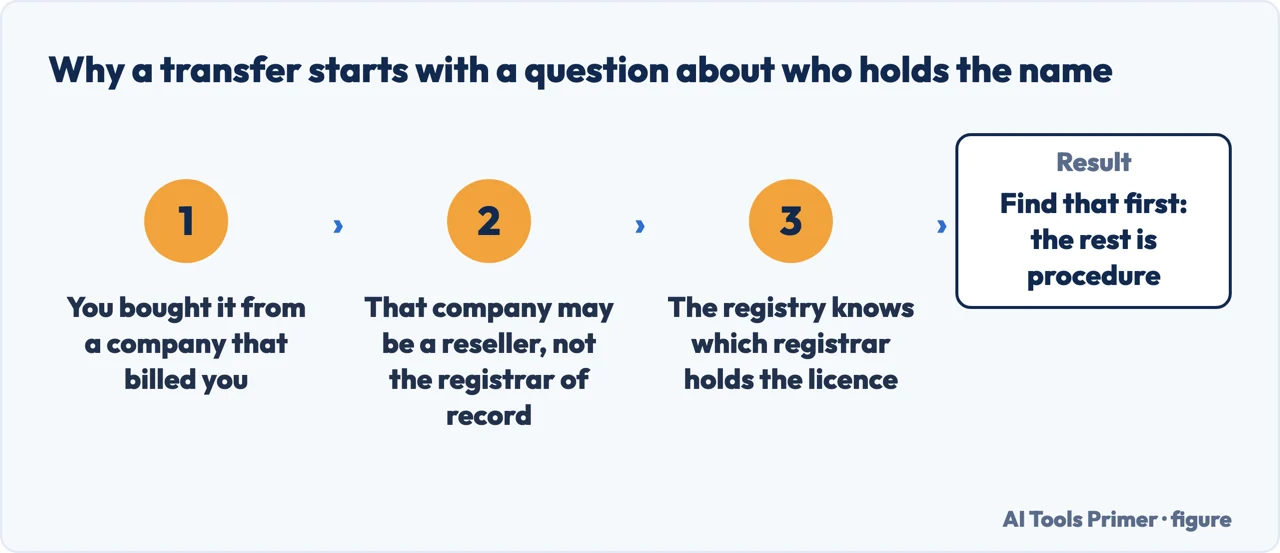
A registry says the same thing about its own namespace, in more detail. auDA, which administers .au, explains the shape people find confusing: a domain is registered through “an accredited registrar, or a reseller”, and the “registrar of record” is the one that holds the licence in the registry — which is not always the company that billed you. That distinction is why a transfer sometimes has to start with finding out who actually holds the name, and why the answer differs between one top-level domain and another.
The guides below take it three ways: the clocks and what runs when, the locks and which are discretionary, and the neighbouring decisions about where a domain should live at all.
Where to start
Three ways in.
- “It was refused.”
- Go to the locks
The locks
Two lists — may deny and must deny — and three separate sixty-day rules. The one triggered by editing your own contact details is the one people walk into.
Not covered here. It will not tell you a registrar can refuse indefinitely. Every stage of the policy has a deadline, and at the registry the default outcome of silence is that the transfer completes.
It will not recommend a registrar. That needs renewals watched across years, which is the point at which these companies are actually tested.
And it will not treat a registrar’s help page as the rule. The rule is ICANN’s Transfer Policy, quoted here by clause number so you can check it yourself. What holds instead is simple: the five-calendar-day deadlines and the three sixty-day rules are quoted from ICANN’s Transfer Policy, with the clause numbers named.
Step 1 of 6 in putting a site online
The order these jobs come up in for somebody who runs a website.
- After this
- How to make a website mobile friendly, and why it is the real one
Sources
- ICANN, Transfer Policy (effective 1 December 2016) — clauses quoted directly: 3.5, that failure by the Registrar of Record to respond within five calendar days to a registry notification results in a default approval of the transfer; 5.2, that registrars must provide the AuthInfo code and remove ClientTransferProhibited within five calendar days of the holder’s request where no self-service facility exists; 6.2, that the Registry Operator completes the transfer unless it receives a NACK from the Registrar of Record within five calendar days; the five-day deadline for the gaining registrar to supply a copy of the Form of Authorization and that failure is grounds for reversal; and the five-day, or fourteen-day in a registry dispute decision, deadline for undoing a transfer — www.icann.org, read 22 August 2026.
- ICANN, 5 Things Every Domain Name Registrant Should Know About ICANN’s Transfer Policy (the list of circumstances in which a registrar may deny a transfer, including a name within 60 days of initial registration or of a previous transfer; the separate list in which a registrar must deny, including a name subject to a 60-Day Change of Registrant lock, a UDRP, TDRP or URS proceeding, or a court order; the requirement to specify a reason for a discretionary denial; the two ways registrars provide AuthInfo codes, including within five calendar days of request; and the formal Transfer Complaint route) — www.icann.org, read 22 August 2026.
- ICANN, FAQs for Registrants: Transferring Your Domain Name (that transferring between accredited registrars is the registrant’s right; that the transfer is initiated by contacting the gaining registrar; that failing to return the authorisation form means the request will not be processed; that the Change of Registrant lock is triggered by changing the registrant name, organization or email address, or the administrative contact email where there is no registrant email; that a registrar may but need not offer an opt-out; the advice to complete a transfer before changing contact information; and the note that changing web-hosting providers or nameservers avoids the inter-registrar transfer process altogether) — www.icann.org, read 22 August 2026.
- auDA — How to transfer your .au domain name: registrar, reseller and registrar of record, and why the company that billed you may not be the one that holds the name — www.auda.org.au, read 4 September 2026.
Written by Alberto Gulotta
Founder and editor of AI Tools Primer, writing from Palermo, Italy. Thirty-five years of taking computers apart, starting with a Commodore 64 — the long version is on the about page.
Something wrong on this page? Write to aitoolsprimer@gmail.com and it gets fixed.
Written on 22 August 2026 · last checked 23 September 2026.
Independence and limits
No affiliate links and no paid placements anywhere on this site. Nobody pays to appear here, and no company has seen this page before you did.
This is general information, not professional advice. Where a page touches money, health, safety or the law, it names its source and the date it was read — and your situation may still differ. See the privacy page and the cookie policy.