
Audio · guide
How to record a phone call on iPhone, and on Android
By Alberto Gulotta · Updated · 8 min read
How to record a phone call on iphone now has a built-in answer, and so does Android. Before the steps, though, there is one fact that decides whether either is any use to you, and almost no page leads with it.
You cannot do this secretly, and that is deliberate
Both companies built the announcement in, and neither offers a way to switch it off. If you came to this question hoping to record somebody without their knowing, the built-in tools will not do it — and that is worth knowing before you spend an afternoon looking for one that will. Apple puts the point even more directly in its own instructions: before you begin, “make sure the other call participant is willing to be recorded.”
On an iPhone
Apple’s steps, read 21 August 2026.
- “Go to the Phone app on your iPhone.”
- “Make a call.”
- “During the call, tap, then tap Call Recording.”
- Both people hear the notice. “To stop recording, tap or just hang up.”
Where it goes is unusual: “iPhone automatically saves call recordings to a Call Recordings folder in the Notes app” — not in Voice Memos, which is the obvious place to look.
In some regions and languages a transcript appears alongside it, with a caution from Apple that belongs on any page about transcripts: “Verify the accuracy of a transcription before relying on it. It might not be a perfect representation of the conversation.”
And a setting worth knowing exists in both directions: “Call Recording is on by default, but you can turn it off” — Settings, Apps, Phone, Call Recording.
On Android the equivalent lives in Google’s Phone app, with the same announcement at both ends. Google is explicit about two things the iPhone pages leave implicit. Where the file goes: “To keep your recordings private, they’re stored on your device. Calls aren’t saved or backed up off-device.” And what the phone has to be: “Non-Pixel devices must run Android 9 and up. Pixel devices must be Pixel 6 and up with Android 14 and up.”
Google attaches a warning to the Android recording that has nothing to do with recording and everything to do with tidying up: “When a user deletes a call log, the call recording is also deleted.” The recording is not a separate file living in a recordings folder — it hangs off the call log entry, and clearing the call history takes it with it. Anyone who records a call for evidence and then tidies their recent-calls list has destroyed the evidence.
Getting a copy out is the countermeasure, and it is documented: “you can share recorded calls to supported apps, such as email or messaging apps”, and the most recent one is reachable from “the player in the Home screen”. A recording that also exists as an email attachment survives the next time the call log is cleared.
On the iPhone the extra is a transcript rather than a risk: “spoken words in supported languages are automatically transcribed.” Apple also says what a missing transcript means, which saves hunting for a setting that is not there: “if you don’t see a transcript, your iPhone doesn’t meet the minimum requirements or detect a supported language.” Two causes, both about the phone and the language rather than anything you did wrong.
Where the feature simply is not there
Apple’s own list of where iPhone call recording “isn’t currently available”. Note the European Union in the middle of it. If you are reading this in Europe and the option is not on your phone, nothing is broken and no setting will reveal it. Google says the same in general terms: “Call recording is widely available, but not in all countries or regions.”
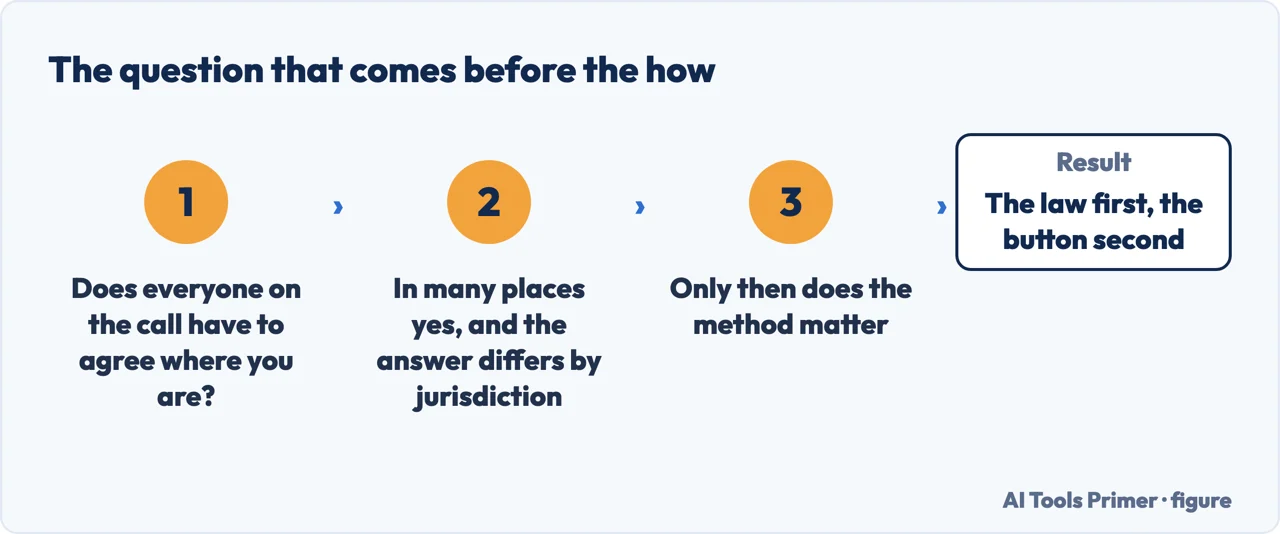
Which leaves the question this whole cluster orbits without ever quite asking: is it legal. That is not a question this guide will answer, and you should be suspicious of any page that does — the rule differs by country and, in the United States, by state. What can be reported is what the companies themselves say. Google: “It’s up to you to follow all laws on recording phone conversations. Use call recording responsibly and turn it on only when needed”, adding that “many jurisdictions require consent by all parties to record the call.”
Read the two together and a practical rule falls out that is stricter than any statute and works everywhere: the announcement plays whether you like it or not, so the other person will know. Ask first anyway. A recording made after an audible notice and an explicit “is that all right with you?” is the version that is still useful to you months later, in the situation where you wanted a recording in the first place.
The surrounding searches divide by device and by doubt. How to record a phone call on android and how to record a phone call on samsung are people on the other platform. How to record a phone call on an android phone tends to come from somebody who has already looked and not found it. And is it legal to record phone calls sits in the same cluster for a reason: nearly everybody asking the first question is also asking the second, quietly.
Where to start
Four ways in.
- “I have an iPhone.”
- It is above. Then after the call
- “I have an Android phone.”
- Go to on android
- “I need a transcript, not audio.”
- That is after the call
On Android
Google’s Phone app, what it requires and where it puts the file. Different from the iPhone route in the details that matter.
After the call
A recording is only useful if you can find it, play it and quote from it. All three have specific answers on each platform.
Not covered here. It will not tell you whether recording a call is lawful where you are. That depends on your country and, in the United States, your state — and a wrong answer here costs more than a wrong answer anywhere else on this site.
It will not point you at an app that promises to record without the notice. Both platforms build the announcement in on purpose, and a tool sold on defeating it is telling you what it is for.
And it will not rank the call recording apps yet. That needs real calls on both platforms, in a country where the feature works and one where it does not, with what each app keeps published alongside the recording. What holds instead is simple: every instruction and limit on this page is quoted from Apple’s and Google’s own documentation.
Editing a recording once you have it
The work that happens after the record button, whatever made the file.
- The same job, in the other places it comes up
- Audacity plugins, and the five reasons one goes missing
- MP4 to MP3: extracting beats converting
- What an SRT file is, and the four lines it repeats
Sources
- Apple Support — Record and transcribe a call on iPhone, including the audio notice, the Notes folder, the transcript caution and the list of excluded regions — support.apple.com, read 21 August 2026.
- Google Phone app Help — Record calls, including the disclosure played to both parties, device requirements and the statement about following the law — support.google.com, read 21 August 2026.
Written by Alberto Gulotta
Founder and editor of AI Tools Primer, writing from Palermo, Italy. Thirty-five years of taking computers apart, starting with a Commodore 64 — the long version is on the about page.
Something wrong on this page? Write to aitoolsprimer@gmail.com and it gets fixed.
Written on 21 August 2026 · last checked 4 September 2026.
Independence and limits
No affiliate links and no paid placements anywhere on this site. Nobody pays to appear here, and no company has seen this page before you did.
This is general information, not professional advice. Where a page touches money, health, safety or the law, it names its source and the date it was read — and your situation may still differ. See the privacy page and the cookie policy.