
Screens · guide
How to fix broken screen protector
By Alberto Gulotta · Updated · 8 min read
How to fix broken screen protector: you don’t mend a cracked one, you take it off and fit a new one. The two protector makers we read, PanzerGlass and OtterBox, both describe removing it with tape, a fingernail or a plastic card, and a little heat if it sticks.
| Step | What the guide says |
|---|---|
| Hold the pieces | OtterBox: put large strips of clear sticky tape over the cracked parts, over a baking sheet or cardboard box to catch loose shards |
| Lift a corner | PanzerGlass: gently lift one edge with your finger. OtterBox: use a plastic card |
| Peel | PanzerGlass: do this slowly to prevent any glass shards from scattering |
| Stuck glass | OtterBox: tempered glass protectors might need a bit of heat to loosen the adhesive |
| Residue | PanzerGlass: microfiber cloth and a screen-safe cleaner. OtterBox: isopropyl alcohol on a cloth, or lukewarm water |
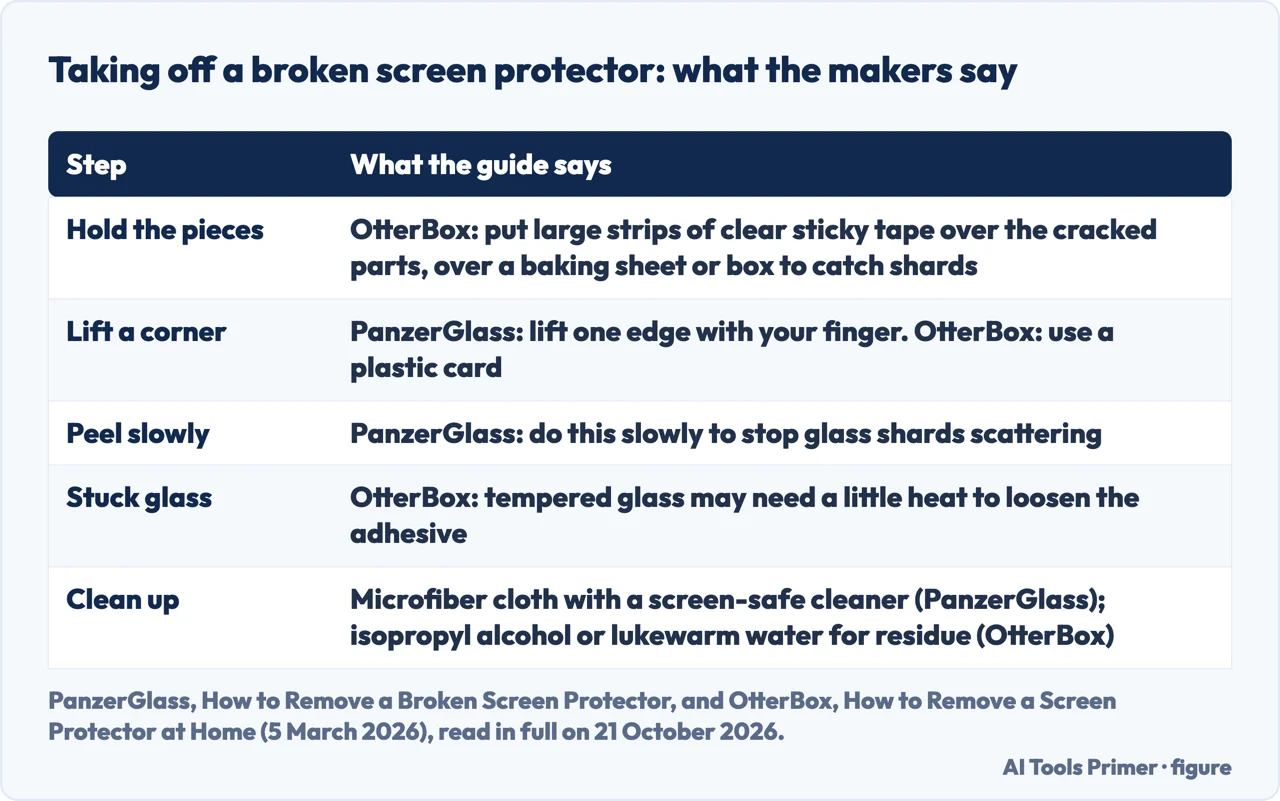
- Check what is cracked. PanzerGlass writes that you will likely find your screen perfectly intact underneath, and the iFixit poster below said the phone’s glass appeared fine and only the protectors had cracked. Cracks that stop at the protector’s edge, or a protector that lifts at a corner, point to the protector. Cracks that carry on into the glass beneath point to the screen. That test is our reading, not a maker’s statement, and we have not tried it on a broken phone.
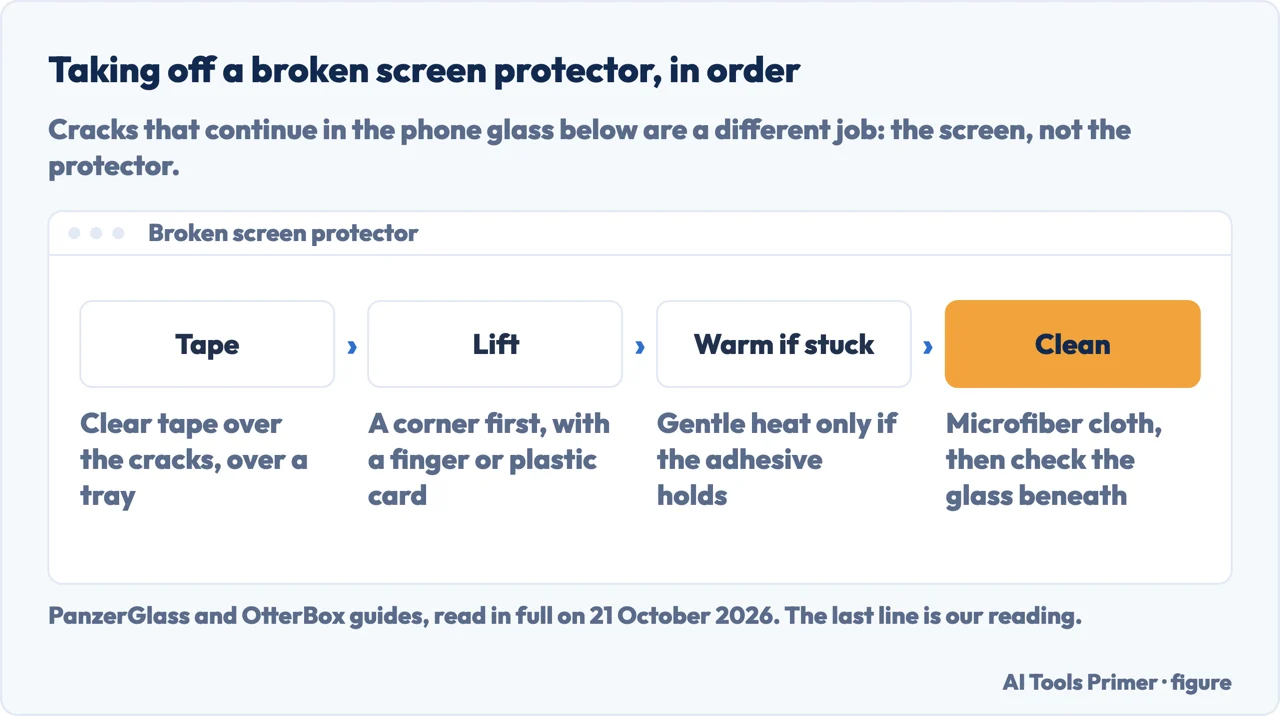
- Hold the pieces. If the protector is splintered, OtterBox says to put large strips of clear sticky tape over the cracked parts, and suggests working over a baking sheet or cardboard box to catch any loose shards that fall.
- Lift one edge. PanzerGlass says to lift one edge gently with your finger and then peel the protector away slowly. OtterBox uses an old credit or gift card to lift a corner, and says the card will have adhesive stuck to it afterwards.
- Warm it only if it will not come. OtterBox says tempered glass protectors might need a bit of heat: a hairdryer on low heat, or a heat gun for 15 seconds on its lowest setting, held about 6 inches away. A commenter on iFixit advised a hair dryer, not a heat gun. Neither is a phone maker’s instruction, so keep it gentle and short.
- Clean the glass. PanzerGlass says to use a microfiber cloth and a screen-safe cleaner. For adhesive left behind, OtterBox says to dab isopropyl alcohol on a cloth and wipe gently, or to use a microfiber cloth with lukewarm water.
- Fit a new one. A cracked protector is not something to put back. The new one comes with its own instructions; fitting it is outside this page.
Razor blade, hair dryer or heat gun: the iFixit thread disagrees
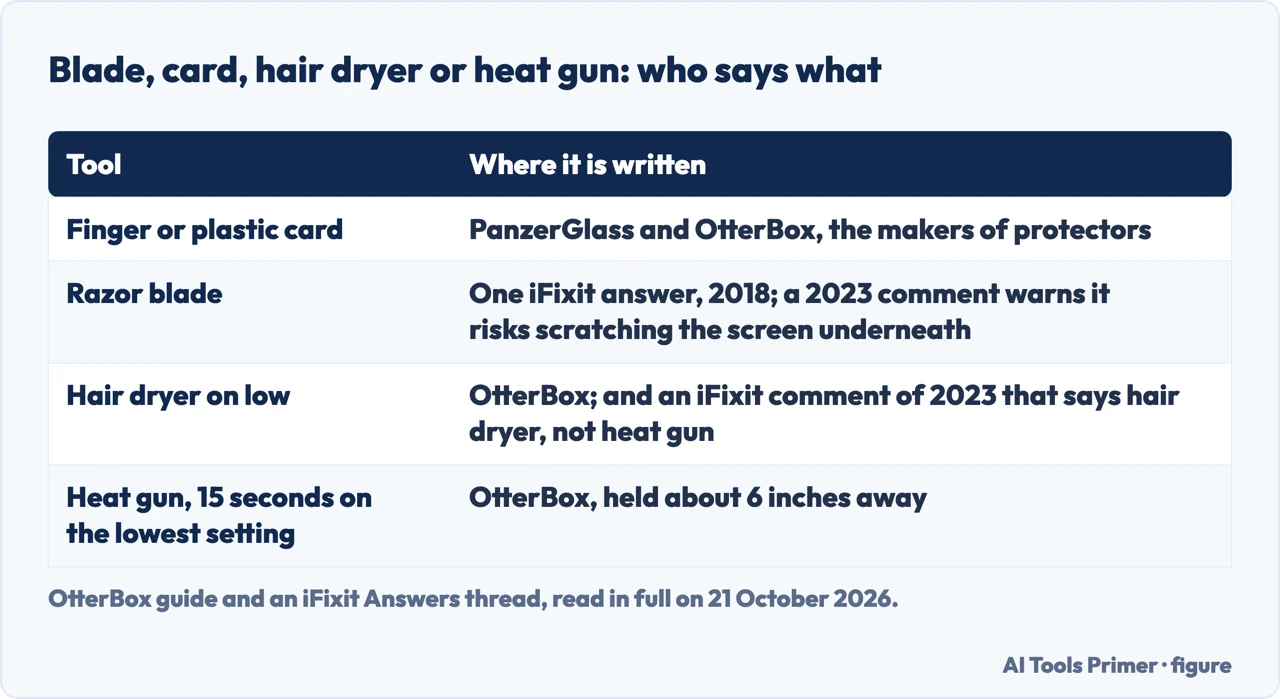
The thread. In January 2018 a poster wrote that two friends had stick-on hardened glass protectors that had cracked, that the phone glass looked fine, and that the protectors were very firmly stuck on. They wondered about a heat gun used very gently. One answer, of 12 January 2018, said to use a razor blade to get underneath and then remove it by hand, and to hold the screen down because the adhesive sounded strong.
The warning. A comment of 22 May 2023 under that answer said a razor blade risks scratching the permanent screen underneath, and should be a last resort, perhaps an X-Acto knife instead. An answer of the same day by the same user said to lift a protector with a looped piece of tape, to prefer a soft tool to a metal one, to use a hair dryer and not a heat gun on one that has become welded to the screen, and not to apply water directly to the device.
Where that leaves it. These are users’ views. The makers’ guides we read use a finger or a plastic card, and we would keep metal away from the glass. That is our judgement, not a maker’s rule.
If the screen has stopped answering your touch
What Apple says. Apple’s page for an iPhone or iPad screen that isn’t working tells you to make sure the screen is clean and free of any debris or water, to disconnect any Lightning or USB-C accessories, and to remove any cases or screen protectors. If the screen still isn’t working, it says you might need to set up service.
What that means here. A shattered protector that makes a phone ignore your finger is a reason to take the protector off, which is what the steps above do. The rest of the touch problem, such as the restart Apple lists, is in a screen that ignores you.
A liquid protector, or one that will not come off or stick
Liquid protectors. OtterBox writes that a liquid protector, a coating of liquid glass, adheres to the screen and can’t always be removed, that some brands state theirs can’t be removed, and that others suggest tape to pick up shattered pieces and an old credit card to scrape it off. If you applied one, check the brand’s own advice first.
Peeling or putting back. PanzerGlass says you can lift one edge and peel off a protector, and writes that its own protectors can be removed and applied again up to 200 times. That is a claim about its product. Neither PanzerGlass nor OtterBox tells you to refit a cracked one, and we would not.
When the glass beneath is cracked too. Then the protector was not the only thing that broke, and the job is the screen. Apple says that if a screen still isn’t working you might need to set up service. How lines and marks on a phone display are sorted is in horizontal lines on a phone screen.
Where to start
Four ways in.
- “How do I take it off?”
- The steps — take it off
- “Blade or heat?”
- What the thread says — blade or heat
- “My touch stopped working.”
- What Apple says — touch stops
- “Is the glass cracked too?”
- What to do — service
Other things on a phone screen
A mark, a line and a spot each have their own first test.
Questions people also ask
Can you fix a broken screen protector?
Not by mending it. PanzerGlass says that if your protector cracks you simply lift one edge and remove it, and OtterBox gives the same steps for a cracked one, with tape over the cracks first. Then you fit a new protector.
Can I just peel off my screen protector?
Yes, for most. PanzerGlass says to lift one edge gently and peel slowly. OtterBox says tempered glass may need a little heat to loosen the adhesive, and a liquid protector can’t always be removed.
Not covered here. It does not cover replacing a phone display, fitting a new protector, or a protector on a laptop or a watch.
Sources
- PanzerGlass — Guide: How to Remove a Broken Screen Protector — panzerglass.com, read 21 October 2026.
- OtterBox — How to Remove a Screen Protector at Home (5 March 2026) — www.otterbox.com, read 21 October 2026.
- iFixit Answers — Removing a hardened glass screen protector? (posts from 2018 to 2023) — www.ifixit.com, read 21 October 2026.
- Apple Support — If the screen isn’t working on your iPhone or iPad (article 102567, published 15 October 2024) — support.apple.com, read 21 October 2026.
Written by Alberto Gulotta
Founder and editor of AI Tools Primer, writing from Palermo, Italy. Thirty-five years of taking computers apart, starting with a Commodore 64 — the long version is on the about page.
Something wrong on this page? Write to aitoolsprimer@gmail.com and it gets fixed.
Written on 21 October 2026.
Independence and limits
No affiliate links and no paid placements anywhere on this site. Nobody pays to appear here, and no company has seen this page before you did.
This is general information, not professional advice. Where a page touches money, health, safety or the law, it names its source and the date it was read — and your situation may still differ. See the privacy page and the cookie policy.