
Web · guide
Err connection timed out in Chrome
By Alberto Gulotta · Updated · 8 min read
Err connection timed out, which Chrome shows as ERR_CONNECTION_TIMED_OUT, means the page took too long to connect. Google’s own words are that your internet connection might be too slow, or the page might be too busy. The first thing to find out is whether it is one website or all of them.
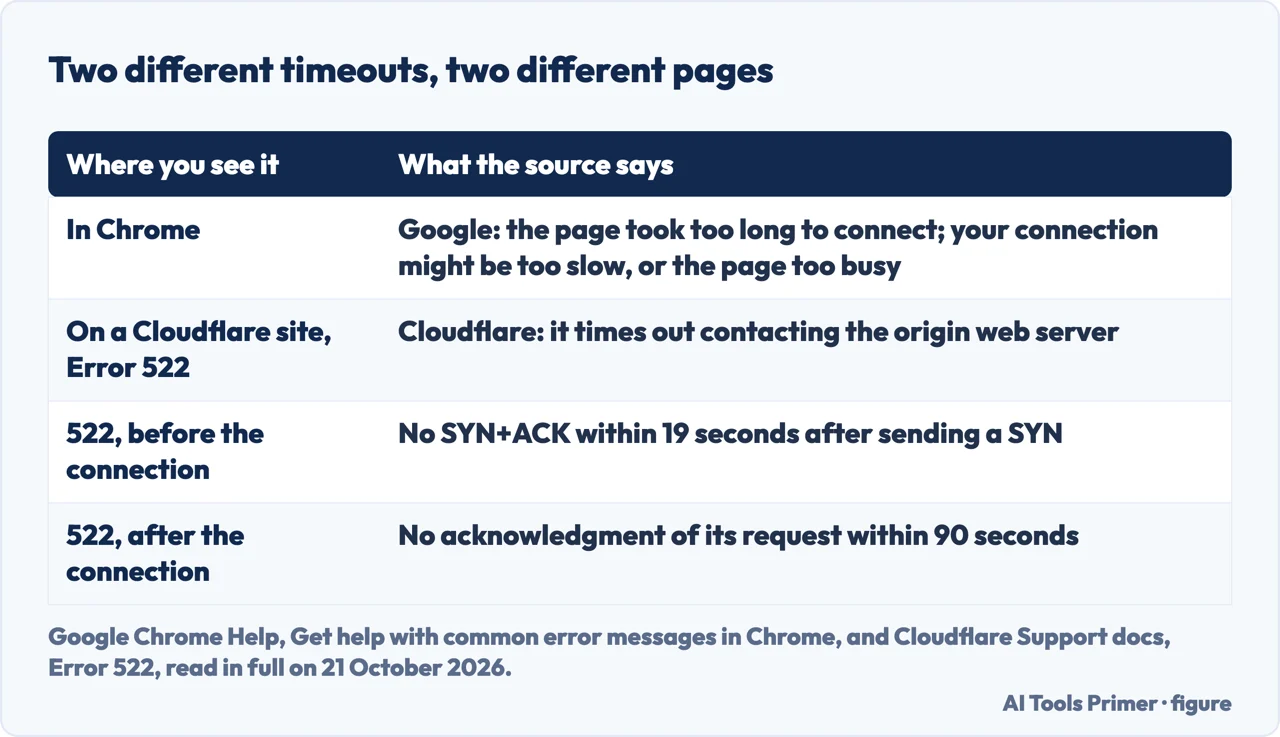
| Where you see it | What the source says |
|---|---|
| In Chrome | Google: “The page took too long to connect. Your internet connection might be too slow, or the page might be too busy.” |
| On a Cloudflare site, Error 522 | Cloudflare: “Error 522 occurs when Cloudflare times out contacting the origin web server.” |
| 522, before the connection | Cloudflare does not receive a SYN+ACK within 19 seconds after sending a SYN |
| 522, after the connection | Cloudflare does not receive an acknowledgment of its resource request within 90 seconds |
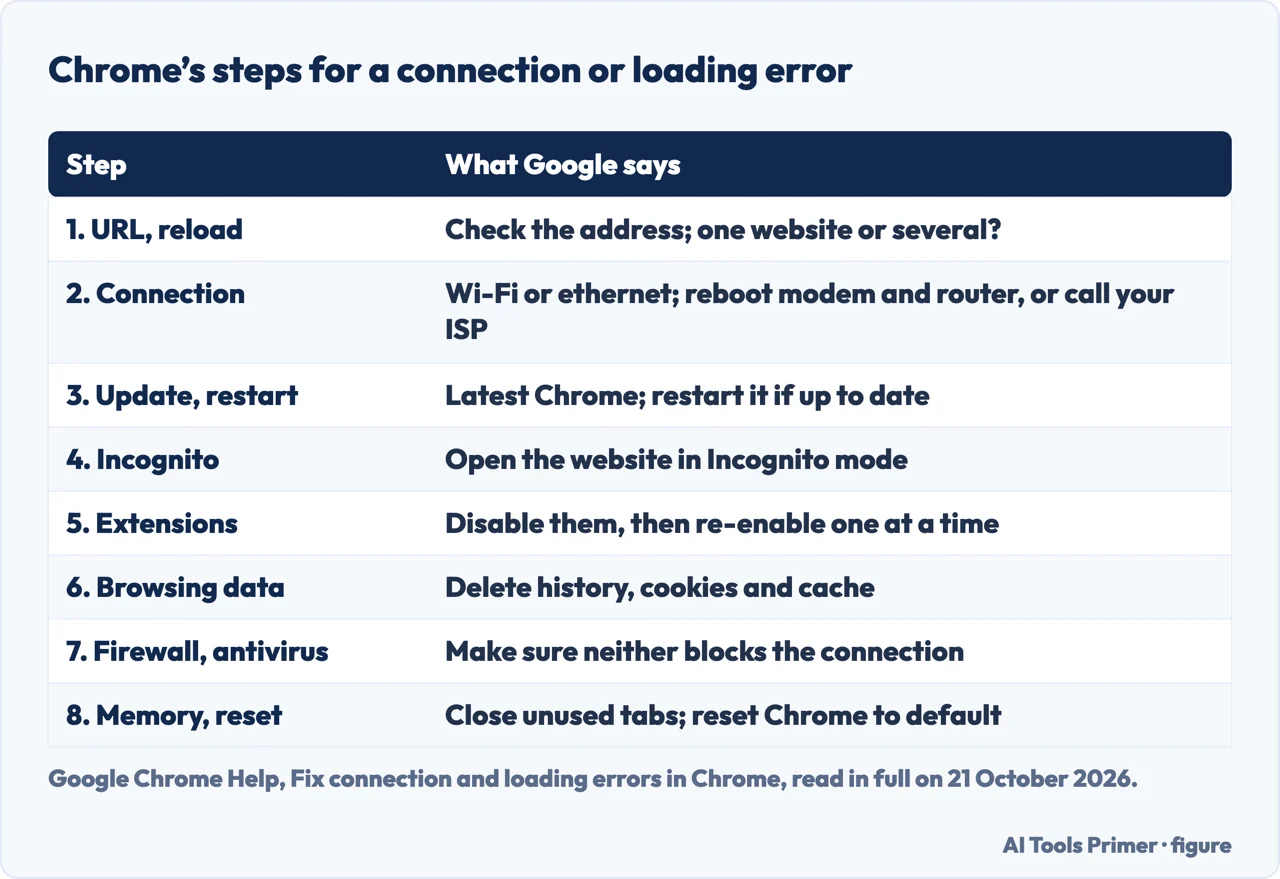
Where to start. The order below is Google’s, from its help page on connection and loading errors, with the one-site question moved to the front because it decides how far down you need to go. A page that says only “This site can’t be reached” has its own page, this site can’t be reached.
- Check the address, then reload. Google says to make sure the website address has no mistakes in the URL, and then to reload the page.
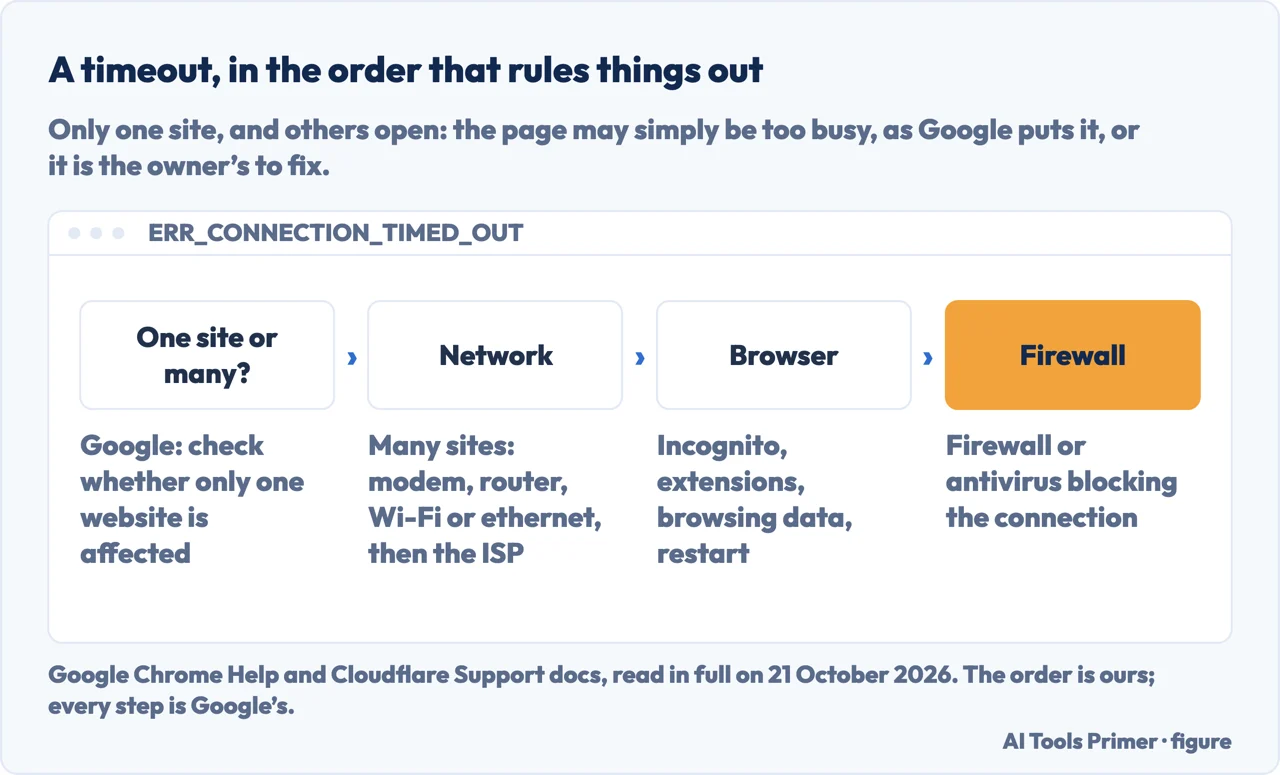
- Is it one website, or all of them? Google’s tip is to check whether the issue affects one website or several. If it affects several, its advice is to check your internet connection. This is the question the rest of the order hangs on.
- Check the connection. Google says to make sure the device is connected on Wi-Fi or ethernet, to check that the modem and router are working, to reboot both if needed, or to contact your internet service provider. On public Wi-Fi, such as in a cafe, you might need to sign in through a portal page.
- Update and restart Chrome. Be on the latest version; if Chrome is already up to date, restart it by hand.
- Try Incognito. Open the website in an Incognito window. Google says that if it loads there, you should go on to disable extensions or delete browsing data.
- Disable extensions. Google recommends disabling all of them, and re-enabling them one at a time if that fixes it, to find the one at fault.
- Delete browsing data. History, cookies and cache.
- Check the firewall or antivirus. Google says to make sure neither is blocking your connection.
- Free memory, then reset. Close unused tabs and unwanted tasks. If nothing has worked, Google lists resetting Chrome to default settings, and says that uninstalling and reinstalling fixes most problems; signing in keeps your saved info in your Google Account.
Only one site times out
What Google says. The page might be too busy. That is the wording in the error list, and it is a statement about the site, not about you. Google’s tip is to check whether other websites open; if they do, the steps about your connection are not where the cause is.
What we would try. Reload later, and try the same address in Incognito and on another network, such as a phone’s data connection. That is our reading of Google’s order, not a step Google lists. If it times out everywhere and for everyone, the owner has the problem, and the 522 section above says where an owner starts.
Chrome’s message and Cloudflare’s Error 522 are not the same thing
What Chrome shows. ERR_CONNECTION_TIMED_OUT, and its twin ERR_TIMED_OUT, are listed by Google among the page loading errors. The words are the ones in the table above: the page took too long to connect. Google also tells you to type chrome://network-errors/ in the search bar for the complete list of error codes.
What Cloudflare shows. A site behind Cloudflare can answer with its own “Error 522: connection timed out”. That one is not a fault in your browser: Cloudflare says it times out contacting the origin web server, and tells the site owner to contact their hosting provider. Its page lists as common causes Cloudflare’s addresses being rate limited or blocked in a firewall, an overloaded or offline origin server, and an origin IP address in the DNS settings that does not match the one the host provisioned.
Why it matters. If the page that loads says Cloudflare and 522, no step in the list above will help, because the cause is behind the site. If Chrome shows its own error page, the list is yours. We have not seen the two on the same attempt.
The Windows commands people suggest: what Microsoft says they do
The commands. Microsoft’s ipconfig page says /flushdns flushes and resets the DNS client resolver cache, which it describes as a step in DNS troubleshooting. It says /release sends a DHCPRELEASE message to the DHCP server and discards the IP address configuration, which disables TCP/IP for adapters set to obtain an address automatically, and /renew renews the DHCP configuration.
What neither page says. Neither Microsoft nor Google says these commands fix a timeout. Google lists a name that does not resolve, ERR_NAME_NOT_RESOLVED, as a different error from a timeout, so a DNS flush is not obviously the remedy. We would try the steps above first, and treat these as an extra for Windows when only your own computer fails. That is our judgement.
When the page loads, but slowly. That is not a timeout. A slow name lookup has its own page, slow DNS lookup.
Where to start
Four ways in.
- “What does it mean?”
- What Google says — where to start
- “What do I try?”
- The steps — the steps
- “Only one site fails.”
- What that points to — one site
- “It says Error 522.”
- Cloudflare’s meaning — two timeouts
Other errors a browser shows
No answer at all, a certificate the browser refuses, and a slow name lookup.
Questions people also ask
How do I fix ERR_CONNECTION_TIMED_OUT?
Google’s order: check the address and reload, see whether one website or several fail, check your internet connection and reboot the modem and router, update and restart Chrome, try Incognito, disable extensions, delete browsing data, check your firewall or antivirus, and as a last step reset Chrome.
What is the meaning of ERR_CONNECTION_TIMED_OUT?
Google lists ERR_CONNECTION_TIMED_OUT and ERR_TIMED_OUT together: the page took too long to connect. Your internet connection might be too slow, or the page might be too busy.
Why do I get the error on only one website?
Google’s wording for the error is that the page might be too busy, which points at the site. Cloudflare says its own Error 522 means it timed out contacting the origin web server, and tells owners to contact their hosting provider. Whether yours is either of those, we cannot tell from here.
Not covered here. It does not cover timeouts in other browsers, in apps or in a server\’s own settings.
Sources
- Google Chrome Help — Get help with common error messages in Chrome — support.google.com, read 21 October 2026.
- Google Chrome Help — Fix connection and loading errors in Chrome — support.google.com, read 21 October 2026.
- Cloudflare Support docs — Error 522 (last updated 31 July 2026) — developers.cloudflare.com, read 21 October 2026.
- Microsoft Learn — ipconfig — learn.microsoft.com, read 21 October 2026.
Written by Alberto Gulotta
Founder and editor of AI Tools Primer, writing from Palermo, Italy. Thirty-five years of taking computers apart, starting with a Commodore 64 — the long version is on the about page.
Something wrong on this page? Write to aitoolsprimer@gmail.com and it gets fixed.
Written on 21 October 2026.
Independence and limits
No affiliate links and no paid placements anywhere on this site. Nobody pays to appear here, and no company has seen this page before you did.
This is general information, not professional advice. Where a page touches money, health, safety or the law, it names its source and the date it was read — and your situation may still differ. See the privacy page and the cookie policy.