
Software · guide
Edge missing from your PC: gone, hidden or replaced?
By Alberto Gulotta · Updated · 12 min read
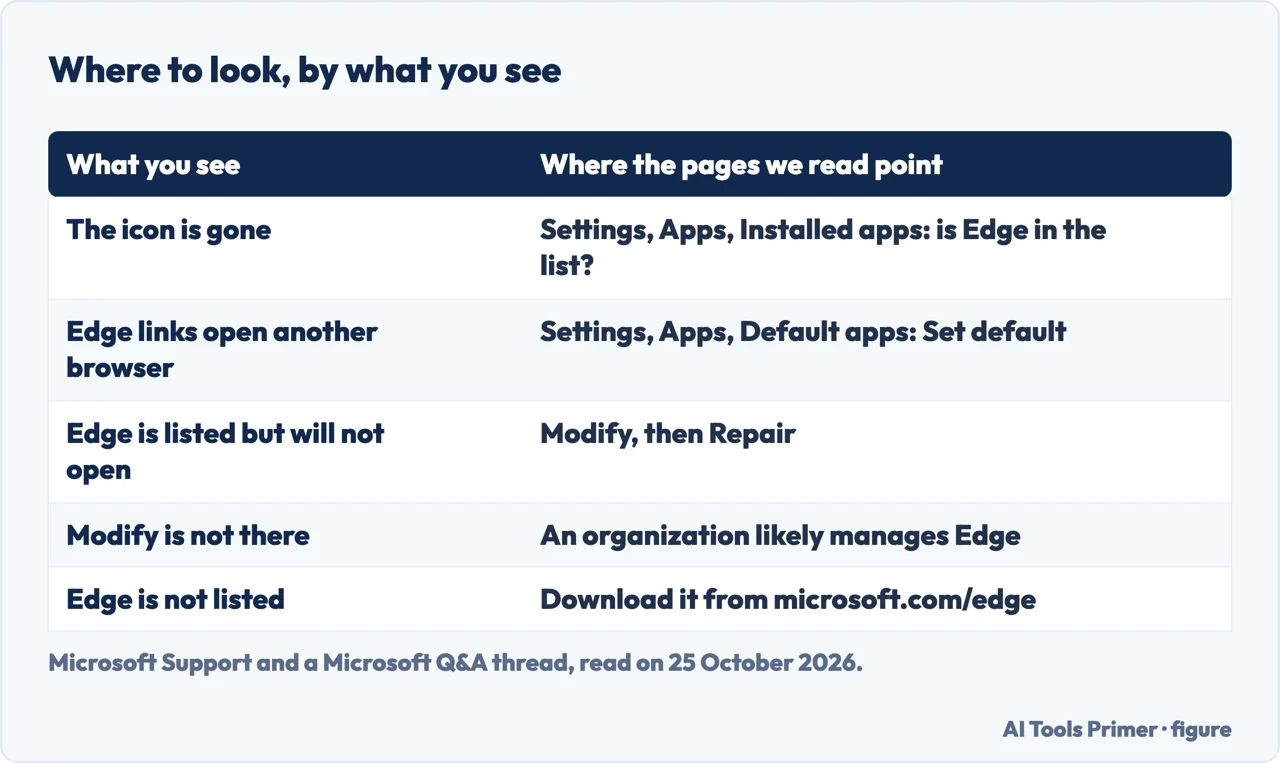
Edge missing can mean one of three things: the icon is gone, the app is gone, or links open in another browser. The first check is the same for all three: look for Microsoft Edge in Settings, Apps, Installed apps. Microsoft’s repair starts from the same list, and Microsoft says repair shouldn’t affect your browser data and settings.
This page puts the steps in the order the sources give them, and marks which steps in the guides on a missing Edge are not on the Microsoft pages we read.
| What you see | Where to look first | Where it comes from |
|---|---|---|
| The icon is gone | Start, Settings, Apps, Installed apps: is Microsoft Edge in the list? | Microsoft Q&A answer; the same list is where Microsoft’s repair starts |
| Edge links open another browser | Settings, Apps, Default apps, then Set default next to Edge | Microsoft Support, Change default apps in Windows |
| Edge is listed but will not open | Modify, then Repair | Microsoft Support, What to do if Microsoft Edge isn’t working |
| Modify is not there | Likely an organization manages Edge: contact its administrator | Microsoft Support, same page |
| Edge is not in the list | The official download link from Microsoft | Microsoft Support, troubleshooting downloads and installs |
Is it gone, or only hidden?
A Microsoft Q&A thread of 2 April 2026 shows how easily the two get mixed up. A user’s laptop slept for about ten minutes and afterwards, in the user’s words, “there was no trace of Microsoft edge”. The application icon was still on the desktop but loaded as Chrome. The answers there start with one check: open Start, Settings, Apps, Installed apps and look for Microsoft Edge. “If it is present, Edge is still installed; the issue is likely with shortcuts, defaults, or profiles.”
KapilArya lists five causes for Edge going missing on Windows 11: Microsoft update errors, malware or a virus, file corruption, broken application shortcuts and a system settings mismatch. It adds that “These problems can cause it to appear that Edge is uninstalled when it actually is on the device.” The list does not say which cause goes with which sign, so the check in Installed apps is what tells the cases apart.
KapilArya’s first fix is to open File Explorer, go to the folder C:\Program Files (x86)\Microsoft\Edge\Application and open the Edge program file there. If it starts, the site says, the browser was never deleted and only the shortcut was missed. Microsoft’s installation page names a nearby folder, C:\Program Files (x86)\Microsoft\Edge\, for a different job: removing old installation files before you reinstall.
When Edge links open another browser
In the same Microsoft Q&A thread the user could not sign in to Outlook and the Edge shortcut loaded as Chrome. The answer there says to make sure Edge is the default browser and not Chrome, and to use Set default to re-apply the browser associations after a repair. Microsoft’s own page on default apps gives the route: open the Settings app, select Apps, then Default apps, and under Set defaults for applications select Microsoft Edge. “Next to Make Microsoft Edge your default browser, select Set default.”
The steps for other browsers, and for the Mac and the phone, are on the page on the default browser.
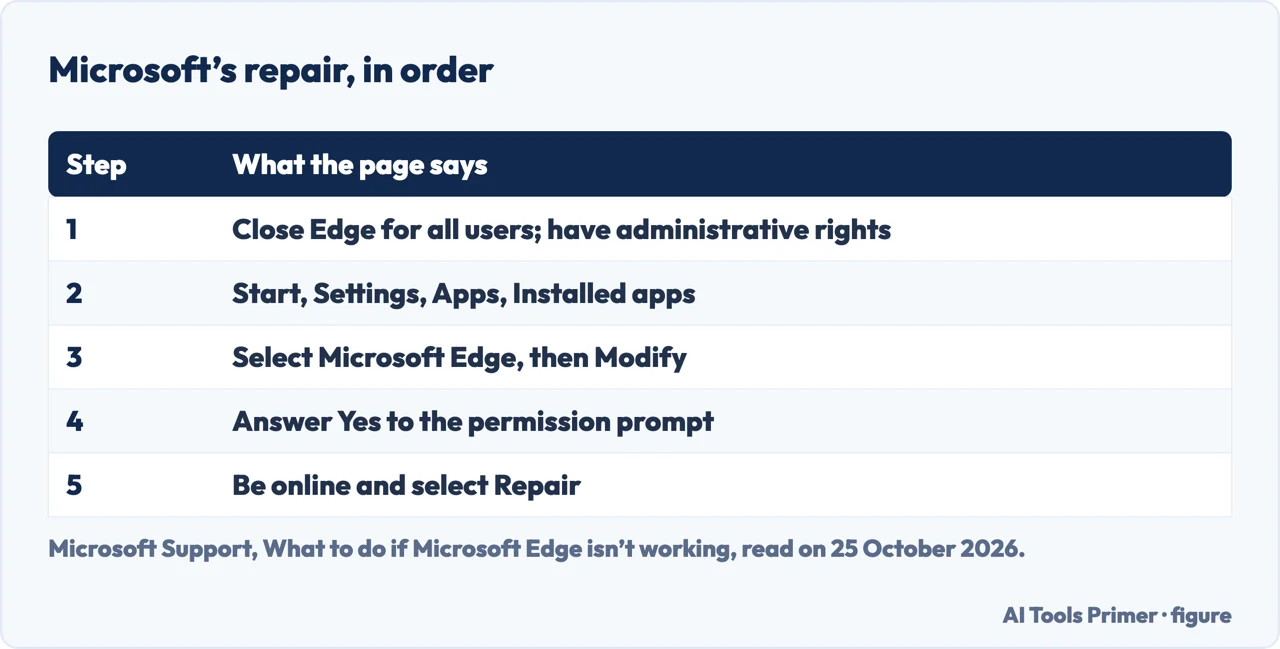
Microsoft’s repair, in order
Microsoft’s page on what to do if Edge is not working gives one repair route for a browser that crashes or will not open; it does not describe an Edge that is missing from the PC. First, “Make sure that your browser is closed and that you have administrative rights to your device.” If several people are signed in to the PC, Edge has to be closed for all of them. Then go to Start, Settings, Apps, Installed apps, select Microsoft Edge and select Modify. When Windows asks whether to allow the app to make changes, select Yes. Be connected to the internet and select Repair.
Two details are on the page. One is the missing button: “If the Modify command isn’t available, it’s likely that your organization installed Microsoft Edge and is managing it for you.” Microsoft’s advice is to contact the system administrator. The other is the cost: “Your browser data and settings shouldn’t be affected by repair.”
In Microsoft’s list for an Edge that cannot open, the repair comes last. Before it the page asks you to close other tabs, extensions and apps, to make sure Edge is up to date, to run a manual scan from Windows Security, to restart the computer and to check that third-party security software is up to date. Closing tabs and updating Edge assume a browser you can still open; the scan, the restart and the check of security software do not.
If it is not in the list: reinstall
For a download or an install that fails, Microsoft’s troubleshooting page points to one address: the official direct download link on Microsoft’s website, microsoft.com/edge. If the download fails in your current browser, it suggests Chrome, Firefox or another browser, and it says that corrupt cache files may interfere with downloads. It also asks for a stable connection and, for a failing download, a restart of the router or a different network. For an update that fails, the same page says to uninstall and reinstall Edge from the latest version on the website.
For an installation that fails, the page gives six steps:
- Run the Windows Program Compatibility troubleshooter.
- Make sure there is enough free disk space.
- Run as administrator: right-click Microsoft Edge in the Start search results and choose Run as administrator. That only helps if Edge still appears in the results.
- Check that your operating system meets the minimum requirements. Microsoft says Edge is available on Windows 11, Windows 10 and macOS 10.12 Sierra or higher.
- Temporarily disable security software, because antivirus programs may block an installation, and update it.
- Remove old installation files from the Edge folder in Program Files (x86) before reinstalling.
What the guides add, and what backs it
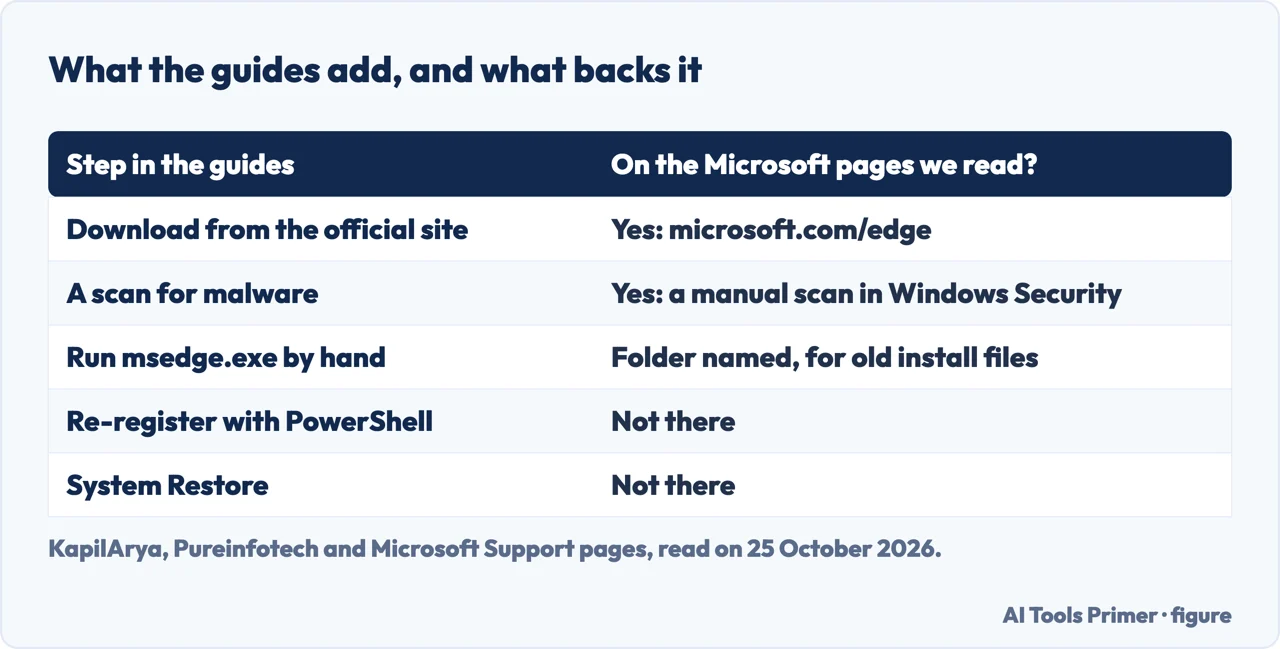
The guides on a missing Edge add four steps that the Microsoft pages we read do not give. KapilArya recommends a Microsoft Defender Offline scan, from Settings, Privacy & Security, Windows Security, Virus & threat protection; Microsoft’s page says to run a scan manually in Windows Security and does not name the offline one. KapilArya and Pureinfotech each give a PowerShell command that re-registers the Edge package. The two commands name different packages, one ending in Stable and one without it, so they are not the same command. Pureinfotech’s guide is about Windows 10 after the Fall Creators Update and says that “some users have been reporting that using these options Microsoft Edge goes missing”, the options being Repair and Reset in the Settings app. The page does not say whether that applies to the Edge of today. We have not reproduced either command here, and we did not run them.
KapilArya also offers System Restore and, as a last option, Reset this PC. Of System Restore it says that “this will not touch your personal files, but may remove recent apps or drivers”. Neither is on Microsoft’s Edge pages that we read. The order that follows from the sources is the one above: look in Installed apps, check the default, repair, then reinstall from Microsoft’s link.
Can Edge be removed on purpose?
The guides disagree. A blog about a missing Edge toolbar says that Edge is “an essential component of our operating system” and that “It can’t be uninstalled”, with no source. Microsoft’s Windows blog of 16 November 2023, about changes for the European Economic Area, says “All apps in Windows can be uninstalled” and lists “Microsoft Edge, in the EEA” among the apps that gain an uninstall option. That post previews the change in a blog for Windows Insiders, and we did not check how it behaves on a release version today. If you removed Edge on purpose and want it back, the way back is the download link above.
If the toolbar is what is missing
Some searches for a missing Edge mean something smaller: a toolbar or an icon inside the browser. HTMD, a blog on managing devices, covers that case with five methods, among them restarting Edge, turning extensions off for a while and clearing browsing data. Extensions are covered on the page on browser extensions, and what clearing data does, and what it does not, on the page on the cache.
Where to start
Five ways in.
- “Is Edge still installed?”
- Installed apps — first
- “Links open Chrome.”
- Default apps — default
- “It is listed but will not open.”
- Modify, then Repair — repair
- “It is not in the list.”
- The reinstall — reinstall
- “The guides tell me to use PowerShell.”
- What backs each step — guides
Repair and diagnosis
Two Windows tools for when the system itself is suspected, and the default browser.
Around the browser
Extensions, the cache, memory errors, passwords and tabs, in Edge and elsewhere.
Questions people also ask
Why did Microsoft Edge disappear from my computer?
KapilArya lists five causes: update errors, malware, file corruption, broken shortcuts and a settings mismatch. The Microsoft pages we read do not list causes. A Microsoft Q&A answer says that if Edge is in Installed apps, the problem is likely shortcuts, defaults or profiles.
How do I get Edge back on Windows?
Look in Settings, Apps, Installed apps. If it is listed, use Modify and then Repair, as Microsoft describes. If it is not listed, use the official download link on Microsoft’s website.
Will repairing Edge delete my bookmarks?
Microsoft says that your browser data and settings shouldn’t be affected by repair. The page does not list bookmarks by name.
Can I uninstall Edge?
The sources disagree. A blog says it can’t be uninstalled; Microsoft’s Windows blog of 16 November 2023 lists Edge among the apps that can be uninstalled in the European Economic Area.
Not covered here. We did not test these steps on a computer for this page. They come from Microsoft Support (What to do if Microsoft Edge isn’t working; Troubleshooting tips for downloading, installing, and updating Microsoft Edge; Change default apps in Windows), from Microsoft’s Windows blog of 16 November 2023, from a Microsoft Q&A thread of 2 April 2026, and from KapilArya, Pureinfotech and HTMD, read on 25 October 2026. The menu names follow those pages and may differ on your version of Windows.
Reddit, a Facebook group and a Spiceworks forum thread in the results were not read. The Mac and phone versions of Edge are not covered, and neither are the PowerShell commands, which we did not run. A Microsoft Q&A thread is a community answer, not Microsoft documentation.
The search volume and difficulty behind this page were read in Semrush on 29 August 2026.
Sources
- Microsoft Support — What to do if Microsoft Edge isn’t working — support.microsoft.com, read 25 October 2026.
- Microsoft Support — Troubleshooting tips for downloading, installing, and updating Microsoft Edge — support.microsoft.com, read 25 October 2026.
- Microsoft Support — Change default apps in Windows — support.microsoft.com, read 25 October 2026.
- Windows Insider Blog — Previewing changes in Windows to comply with the Digital Markets Act in the European Economic Area (16 November 2023) — blogs.windows.com, read 25 October 2026.
- Microsoft Q&A — How to fix microsoft edge disappearing off my computer (2 April 2026) — learn.microsoft.com, read 25 October 2026.
- KapilArya — Fix Microsoft Edge missing in Windows 11 — www.kapilarya.com, read 25 October 2026.
- Pureinfotech — How to fix Microsoft Edge missing on Windows 10 — pureinfotech.com, read 25 October 2026.
- HTMD Blog — Troubleshooting Steps to Restore Missing Microsoft Edge Browser Toolbar — www.anoopcnair.com, read 25 October 2026.
Written by Alberto Gulotta
Founder and editor of AI Tools Primer, writing from Palermo, Italy. Thirty-five years of taking computers apart, starting with a Commodore 64 — the long version is on the about page.
Something wrong on this page? Write to aitoolsprimer@gmail.com and it gets fixed.
Written on 25 October 2026.
Independence and limits
No affiliate links and no paid placements anywhere on this site. Nobody pays to appear here, and no company has seen this page before you did.
This is general information, not professional advice. Where a page touches money, health, safety or the law, it names its source and the date it was read — and your situation may still differ. See the privacy page and the cookie policy.