
Software · guide
Inaccessible boot device: the question is what changed
By Alberto Gulotta · Updated · 11 min read
Inaccessible boot device is a blue screen carrying stop code inaccessible boot device 0x7B, and it usually arrives right after something was changed rather than out of nowhere. Microsoft’s definition of this Windows inaccessible boot device error explains why that timing matters.
“This bug check indicates that the Microsoft Windows operating system has lost access to the system partition during startup.”
Microsoft’s definition, and the verb is the whole story. Lost access to — not lost, not damaged, not erased. Windows can no longer reach the partition it starts from, which is a different claim from the disk being broken, and it is the reason the useful question is not what is wrong with the drive but what changed.
An unusual thing about this error: almost everything published about it is not written for you. Microsoft has two pages on stop code 0x7B, and the first says so in a box at the top: “This article is for programmers. If you’re a customer who has received a blue screen error code while using your computer, see Troubleshoot blue screen errors.”
The second, the detailed one, assumes installation media, diskpart, bcdedit and loading registry hives by hand. That leaves a gap, and it is worth naming: the consumer page Microsoft sends people to never mentions this code at all. What follows separates the parts a person can act on from the parts written for administrators.
“If you’ve encrypted your device, you’ll need your BitLocker key to complete this task. If you don’t know your BitLocker key, see Find your BitLocker recovery key.”
Microsoft attaches that to Startup Repair, and it belongs before every step on this page rather than in the middle of one. Recovery tools ask an encrypted machine to prove itself. If the 48-digit key is not somewhere you can reach from another device, find it before you start — not after a repair tool has already asked for it.
What Microsoft lists as causes
The published list, in Microsoft’s own order. Read 23 August 2026.
| # | Cause as published |
|---|---|
| 1 | “Missing, corrupted, or misbehaving filter drivers that are related to the storage stack” |
| 2 | “File system corruption” |
| 3 | “Changes to the storage controller mode or settings in the BIOS” |
| 4 | “Using a different storage controller than the one that was used when Windows was installed” |
| 5 | “Moving the hard disk to a different computer that has a different controller” |
| 6 | “A faulty motherboard or storage controller, or faulty hardware” |
| 7 | “In unusual cases, the failure of the TrustedInstaller service to commit newly installed updates is because of component-based store corruptions” |
Two observations change what to try first. Causes three, four and five are all the same idea — the storage controller is not the one Windows was installed against. And a failed update is seventh, qualified by Microsoft itself as “In unusual cases”. It happens; it is not the usual answer.
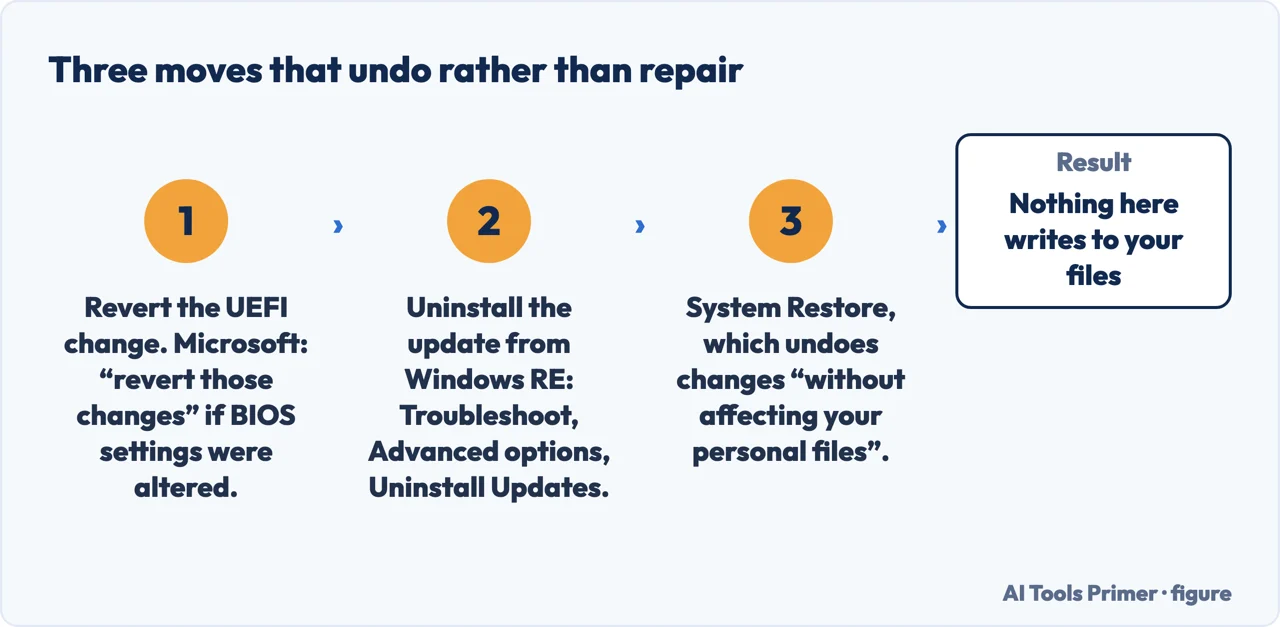
Microsoft’s first step is to undo, not to repair. On the bug check page, the opening item under what to do when Windows will not start: “If you have recently made changes to UEFI (BIOS) settings, such as changing the controller mode from legacy to AHCI in UEFI, revert those changes.”
Nothing there writes to the disk, and if the change was made in the last few days it is very often the whole answer. It is also the step that costs nothing to try before anything harder.
The clearest account of the commonest cause comes from Dell
Dell publishes an article on this exact combination — the controller mode and this stop code. Read 23 August 2026.
| Point | What Dell publishes |
|---|---|
| What triggers it | “Changing the computer storage SATA/NVMe Operation settings to the opposite option”, which Dell describes as going from AHCI/NVMe to RAID ON or the other way round, “could cause windows to present an INACCESSIBLE BOOT DEVICE (0X7B) error while booting the computer, causing an inability to boot into the operating system.” |
| How to undo it | “Change the Storage controller settings back to the original configuration can resolve the blue screen error.” |
| If you want to keep the new mode | “Changing the storage controller mode in the BIOS requires reinstallation of the operating system to align the storage driver configuration with the controller mode.” |
| Dell’s own caveat | “This is not the only reason that a user may experience an INACCESSIBLE BOOT DEVICE error while booting, use this as a troubleshooting step.” |
The third row is the one that decides whether this is a two-minute fix or an afternoon. Putting the setting back costs nothing; keeping the new setting costs a reinstall. And the fourth row is Dell declining to overclaim, which is worth copying: this is a step, not a diagnosis.
If the blue screen followed an update, the route a person can actually use is not on either 0x7B page — it is on Microsoft’s page about uninstalling updates, which never mentions this code. The steps as published: “Access the Windows Recovery Environment.” then “Once in Windows RE, select Troubleshoot > Advanced options > Uninstall Updates.”
Getting there without a USB stick is documented separately: “You can also force Windows to enter automatic repair by interrupting the normal boot process two times… After doing this two times, Windows should automatically boot into Windows RE on the third restart.” And the caution that belongs alongside it, from Microsoft: “Before uninstalling a security update, make sure you understand the risks.”
“By using System Restore, you can undo these changes without affecting your personal files, providing a safe way to resolve problems without losing important data.”
This is the only sentence in all of Microsoft’s relevant documentation that states plainly what happens to personal files, and it is attached to System Restore — not to the stop code. Nothing Microsoft publishes about 0x7B says anything about your documents either way. Where this page reassures, the reassurance belongs to the tool, and it is quoted rather than extended.
One gentler route exists, with a caveat about where it is documented. Microsoft publishes, on a page written for Windows Server rather than for home machines: “To resolve this issue, restart the system in safe mode. In safe mode, any change to a driver’s Start Type setting is reversed, and the values are re-created.”
It is quoted here because the mechanism is the same and because it asks nothing of you but a restart. It is fair to know it comes from the server documentation, which is why it sits after the steps that do not.
What not to do, in Microsoft’s own words. The detailed page carries this warning at the top of its registry work: “serious problems might occur if you modify the registry incorrectly… For protection, back up the registry before you modify it so that you can restore it if a problem occurs.”
And there is a sharper reason to leave it alone, stated on the same page: a half-finished edit to driver entries “causes the computer to crash and generate a 0x7b Stop error.” The procedure that is supposed to fix this error can produce it. That is the clearest possible argument for stopping at the steps above unless you administer Windows for a living.
Three gaps, named rather than filled. Neither HP nor Lenovo publishes anything about this stop code — that was checked by searching their support pages, not assumed. Microsoft’s consumer page on blue screens does not mention it either. And Microsoft’s only reference to the storage controller mode links onward to Wikipedia rather than to any page of its own, which is why the detail above comes from Dell.
Where the makers stop, this page stops too, and says which of them stopped where.
Where to start
Three ways in.
- “I changed something in the BIOS.”
- Start at what changed
- “It happened after an update.”
- Go to undoing it
- “It never gets as far as a blue screen.”
- That is No bootable devices found
What changed
Microsoft lists nine causes and puts a recent change at the top of what to undo. A failed update is seventh, and Microsoft marks it “In unusual cases”.
Undoing it
The steps that write nothing, in the order the makers put them — and the point past which the documentation stops being written for you.
Not covered here. Every definition, cause, step and warning on this page is quoted from Microsoft or Dell, the two companies that publish on this stop code, and every source is listed below What holds instead is simple: Windows has lost access to the partition it starts from, which is a statement about a route rather than about a disk.
Sources
- Microsoft Learn — Bug Check 0x7B INACCESSIBLE_BOOT_DEVICE (the definition that the operating system has lost access to the system partition during startup; the statement that the article is for programmers and that customers should see the blue screen troubleshooting page; the cause list including repartitioning, changing the BIOS configuration or installing a disk controller; and the first resolution step to revert recent UEFI changes such as changing the controller mode from legacy to AHCI. Note: this is programmer documentation, as the page itself states) — learn.microsoft.com, read 23 August 2026.
- Microsoft Learn — Stop error 7B or Inaccessible_Boot_Device troubleshooting (the framing that the error might occur after changes are made to the computer or immediately after deployment; the published list of causes quoted in the table on this page, including that the TrustedInstaller failure applies in unusual cases; and the note that a half-completed change to driver entries causes the computer to crash and generate a 0x7b stop error. Note: this is administrator documentation, requiring installation media, diskpart, bcdedit and manual registry hive loading) — learn.microsoft.com, read 23 August 2026.
- Microsoft Learn — Windows startup issues troubleshooting (the warning attached to the INACCESSIBLE_BOOT_DEVICE section that serious problems might occur if the registry is modified incorrectly and that it should be backed up first) — learn.microsoft.com, read 23 August 2026.
- Microsoft Learn — Error 0x7B after you reconfigure hardware devices (that restarting in safe mode reverses any change to a driver’s Start Type setting and re-creates the values. Note: this page applies to supported versions of Windows Server rather than to home editions) — learn.microsoft.com, read 23 August 2026.
- Microsoft Support — How to uninstall a Windows Update (the Windows RE route: access the Windows Recovery Environment, then Troubleshoot, Advanced options, Uninstall Updates; and the caution to understand the risks before uninstalling a security update) — support.microsoft.com, read 6 September 2026.
- Microsoft Support — Windows recovery environment (that interrupting the normal boot process two times forces Windows into automatic repair, with Windows RE on the third restart) — support.microsoft.com, read 23 August 2026.
- Microsoft Support — System Restore (that System Restore undoes changes without affecting personal files, providing a way to resolve problems without losing important data) — support.microsoft.com, read 23 August 2026.
- Microsoft Support — Startup Repair (the note that an encrypted device requires the BitLocker key to complete the task) — support.microsoft.com, read 23 August 2026.
- Dell — Changing the Storage Controller Mode Causes Windows Blue Screen with INACCESSIBLE BOOT DEVICE Error (that switching the SATA/NVMe operation setting between AHCI/NVMe and RAID ON can cause the error; that changing the setting back can resolve it; that keeping the new mode requires reinstalling the operating system; and Dell’s own note that this is not the only reason the error can appear) — www.dell.com, read 23 August 2026.
Written by Alberto Gulotta
Founder and editor of AI Tools Primer, writing from Palermo, Italy. Thirty-five years of taking computers apart, starting with a Commodore 64 — the long version is on the about page.
Something wrong on this page? Write to aitoolsprimer@gmail.com and it gets fixed.
Written on 23 August 2026 · last checked 23 September 2026.
Independence and limits
No affiliate links and no paid placements anywhere on this site. Nobody pays to appear here, and no company has seen this page before you did.
This is general information, not professional advice. Where a page touches money, health, safety or the law, it names its source and the date it was read — and your situation may still differ. See the privacy page and the cookie policy.