
Software · guide
How to delete apps on iphone, and the bill that stays
By Alberto Gulotta · Updated · 10 min read
How to delete apps on iPhone is four taps, and every guide gives you the four taps. Apple gives you something else first, before any of the steps, and it is the sentence that costs people real money.
“If you delete an app, it doesn’t automatically cancel in-app subscriptions.”
Apple, in the first line of its own instructions, before any of the steps. It is there because it is the mistake people actually make. Deleting the app stops it appearing on your phone and changes nothing about the money. The subscription lives in your Apple Account, not in the app, and it renews on schedule to a phone that no longer has the app on it. If getting rid of the app was a decision about a bill, cancel the subscription first and delete second.
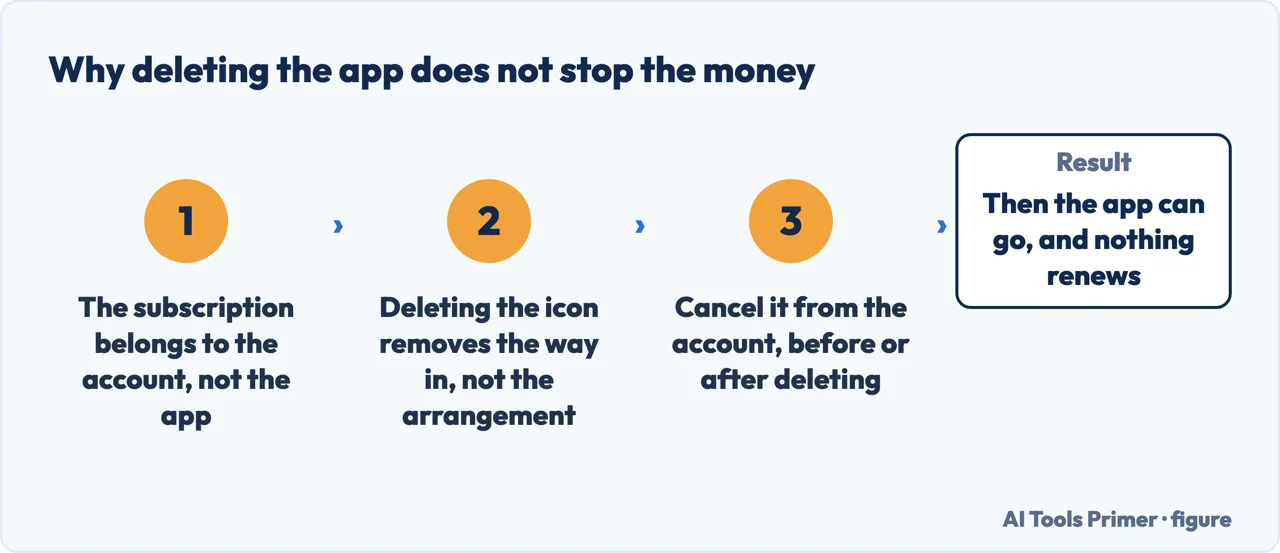
Nothing else on this guide matters as much as that. If the app was a trial you meant to cancel, a streaming service you stopped using, or a game with a monthly charge attached, deleting it is not cancelling it — and because the app is gone, the reminder is gone too. The renewal arrives quietly against a card, months later, for something nobody has opened since spring.
Now the taps, and the reason an app can seem deleted when it is not.
Two menu items that look like the same thing
Touch and hold an app on the Home Screen, tap Remove App, and you are offered both.
Takes the icon off the Home Screen and keeps the app in App Library. It is still installed. It is still taking up space. It can still send you notifications.
Removes it from the phone, with its data. This is the one people mean, and the one they miss because the first option is listed first.
If you already tapped the wrong one, the app is in App Library rather than gone. Touch and hold it there and tap Delete App — that menu has no ambiguous option in it. You can also reach an app through Spotlight search and delete it from the results, which is the fastest route when you cannot remember where the icon went.
That distinction explains a common and slightly maddening experience: deleting an app, and then getting a notification from it that evening. It was never deleted. It was tidied out of sight into App Library, which is exactly what the option said it would do, and which is a genuinely useful thing to want — just not what was wanted here.
The App Library route is worth learning as the default for this reason. Touch and hold in App Library, tap Delete App, tap Delete. There is no second option to misread.
Then there is the case where the option is not offered at all, and Apple documents two separate causes. The first is that some built-in Apple apps simply cannot be removed. The second is more useful, because it is fixable and not obvious: “If you can’t delete an app that’s not made by Apple, check your parental control settings. Make sure Deleting Apps is set to Allow.” On a phone set up years ago for a child, or by somebody else, that switch is still off.
Built-in apps can mostly be removed, and Apple lists which — Calculator, Compass, Mail, Maps, Music, News, Notes, Podcasts, Stocks, Tips, Weather and a good many more. But there is a warning attached that applies to all of them: when you delete a built-in app “you also delete any related user data and configuration files”, and “deleting built-in apps from your device can affect other system functionalities”.
Which sounds vague until you look at what it means in practice, and the cases Apple documents one by one are the interesting ones — because three of them do less than deleting appears to, and one does more.
| App | What Apple says |
|---|---|
| Find My | “If you delete the Find My app, sharing location relationships are not broken.” What does break is the view of things you had paired: “for AirTag and other non-Apple accessories using the Find My network, owners will lose visibility to these previously paired items.” |
| Contacts | “If you delete the Contacts app, all of your contact information will remain in the Phone app.” The names stay; the place you edited them from goes. |
| FaceTime | “If you delete the FaceTime app, you can still make and receive FaceTime calls in Contacts and the Phone app.” |
| Health | The one that does more than it looks: “if you delete the Health app, all of your data remains on your iPhone, and any apps you’ve shared health data with will continue to have access” — but “Medication Reminders, Sleep, Cycle Tracking, and Health Sharing will be turned off.” |
Read those four together and a principle appears that is worth carrying beyond this page. On this phone, the app and the function are separate things. Deleting the Find My app does not break the location sharing you set up; deleting Contacts does not remove your contacts. And the Health row is the warning attached to that principle: sometimes deleting the app is exactly what turns a function off, so the sentence to read is the one about the app you are deleting, not the general rule. If the goal is to stop a capability rather than to tidy a Home Screen, deleting the icon is usually the wrong lever, and the right one is in Settings.
Two alternatives are worth knowing before deleting anything, because they solve the two reasons an app is usually unwanted. If the aim is that nobody else opens it, an app can be locked or hidden rather than removed. If the aim is that you stop opening it, Screen Time can block it while leaving it installed. Both keep the data, which deletion does not.
And if you change your mind, Apple’s reassurance is qualified in a way worth noticing: you can download them again later — “if it’s still available in the App Store”. Apps do leave. That is rare, and it is not never.
Singular or plural, the route is identical: whether you want to delete an app on iphone or remove apps from iphone a dozen at a time, it is the same menu. The question with a different answer is what comes afterwards, which is why a good number of people search how to recover deleted apps the following week. Apple’s answer is the qualified one already quoted — you can download them again, if they are still in the App Store — and it is worth reading as the narrow promise it is. Redownloading returns the app. It says nothing about what was inside it, and nothing at all about the subscription, which never stopped.
The other shop says it in one line, and it is the same line. Google’s subscription help carries the warning in bold: “when you uninstall an app, your subscription won’t cancel.” Deleting the app removes the way in, not the arrangement. Whichever phone you hold, the subscription lives with the account and the payment method, and it is cancelled from the account page — never by removing the icon from the home screen.
The guides below take it four ways: the routes themselves, the money, the built-in apps and what removing them really does, and the alternatives to deleting.
Where to start
Four ways in.
- “I deleted it and it is still there.”
- Start at the routes
- “I am still being charged.”
- Go to the money
- “There is no Delete option.”
- Two causes — when you cannot
- “I want it hidden, not gone.”
- That is instead of deleting
The routes
Three places you can delete from, one of which offers an option that does not delete. These guides cover each and the mistakes each invites.
The money
The half of this subject that has a cost attached. Apple separates the app from the subscription deliberately, and the separation is where people lose money.
When you cannot
The Delete option is missing. Apple documents two reasons and one of them is a setting somebody switched on years ago.
Instead of deleting
Two reasons people delete apps, and two better tools for each. Both keep your data, which deletion does not.
Not covered here. It will not lead with the four taps. Apple leads with the subscription warning, and it leads with it for a reason.
It will not recommend a cleaner app to remove apps. Deleting is built in, free, and takes three taps from App Library.
And it will not tell you that deleting an app removes what it did, or that it leaves it alone. Apple documents the consequence app by app, and the four on this page are there word for word — three where less happens than you would expect, one where more does. What holds instead is simple: the subscription warning and the built-in app consequences are Apple’s own wording.
Sources
- Apple Support — Delete apps on your iPhone or iPad (the warning that deleting does not cancel in-app subscriptions, the routes including Spotlight, and the parental-control setting that hides the option). Published 14 September 2026 — support.apple.com, read 16 September 2026.
- Apple Support — Delete built-in Apple apps from your iPhone, iPad, or Apple Watch, published 18 June 2026 (that deleting a built-in app also deletes any related user data and configuration files; that deleting built-in apps can affect other system functionalities; and the app-by-app consequences for Find My, Contacts, FaceTime and Health). Until September 2026 this list lived inside the article above, which now links to it — support.apple.com, read 16 September 2026.
- Apple — iPhone User Guide, Remove or delete apps from iPhone (Remove from Home Screen against Delete App; that deleting an app removes it and its data from the iPhone; that data stored in iCloud is not deleted with the app; and that a previously downloaded app can be reinstalled if it is still available in the App Store) — support.apple.com, read 16 September 2026.
- Google Play Help — Cancel, pause, or change a subscription: the same warning from the other app store, that uninstalling an app does not cancel what it was billing you for — support.google.com, read 4 September 2026.
Written by Alberto Gulotta
Founder and editor of AI Tools Primer, writing from Palermo, Italy. Thirty-five years of taking computers apart, starting with a Commodore 64 — the long version is on the about page.
Something wrong on this page? Write to aitoolsprimer@gmail.com and it gets fixed.
Written on 22 August 2026 · last checked 23 September 2026.
Independence and limits
No affiliate links and no paid placements anywhere on this site. Nobody pays to appear here, and no company has seen this page before you did.
This is general information, not professional advice. Where a page touches money, health, safety or the law, it names its source and the date it was read — and your situation may still differ. See the privacy page and the cookie policy.