
Chat · guide
How to delete ChatGPT history, and what deleting means
By Alberto Gulotta · Updated · 10 min read
The mechanics of how to delete ChatGPT history take about ten seconds: hover over the conversation in the sidebar, click the three dots, choose Delete, confirm. That part is documented by OpenAI and is not why you are reading this.
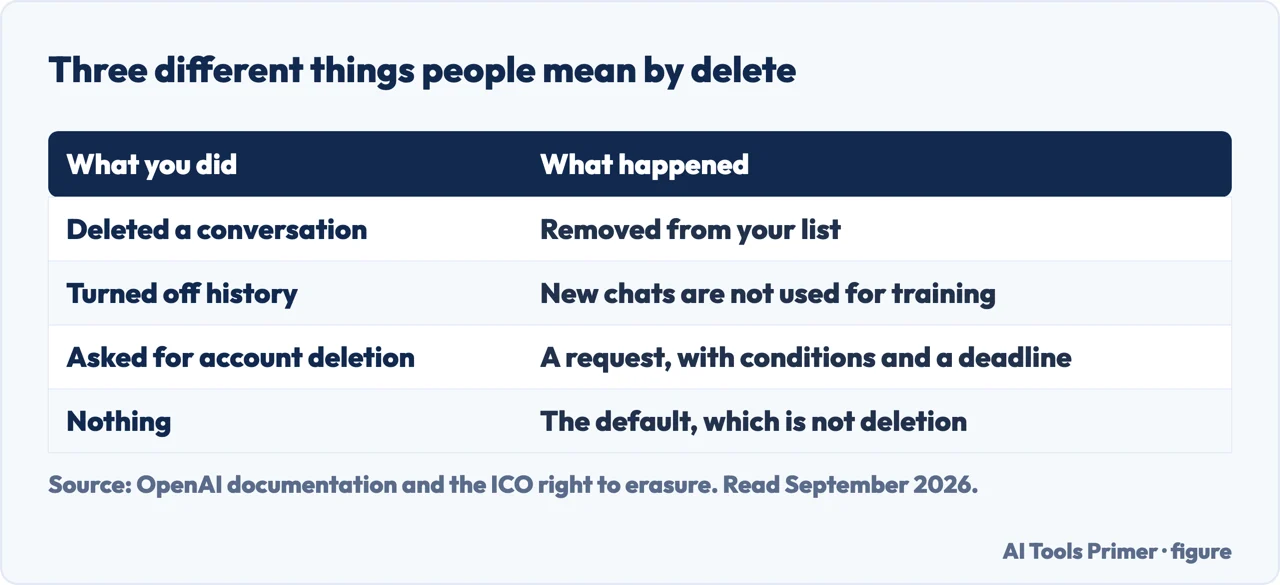
The question underneath it is what deletion actually does, and OpenAI answers that too — on the same page, in one sentence.
“Deleted chats are removed from your view immediately and permanently deleted from OpenAI’s systems within 30 days, unless de-identification or legal exceptions apply.”
OpenAI’s own help centre, read 21 August 2026, on a page it had updated within the previous week. Read the two halves separately: your view is cleared at once, the systems take up to thirty days, and two exceptions can extend that indefinitely — material already “de-identified and disassociated from your account”, and anything OpenAI “must retain it for security or legal obligations”.
That arrangement is stated plainly, which is worth crediting, and it is still not what the word “delete” suggests: it is neither immediate nor total. Two things are worth taking from it. Thirty days is a ceiling, not an instant, so a conversation deleted today is not gone this afternoon. And the exceptions are real: material that has already been de-identified sits outside the deletion path entirely, and legal obligations can hold data for as long as they apply.
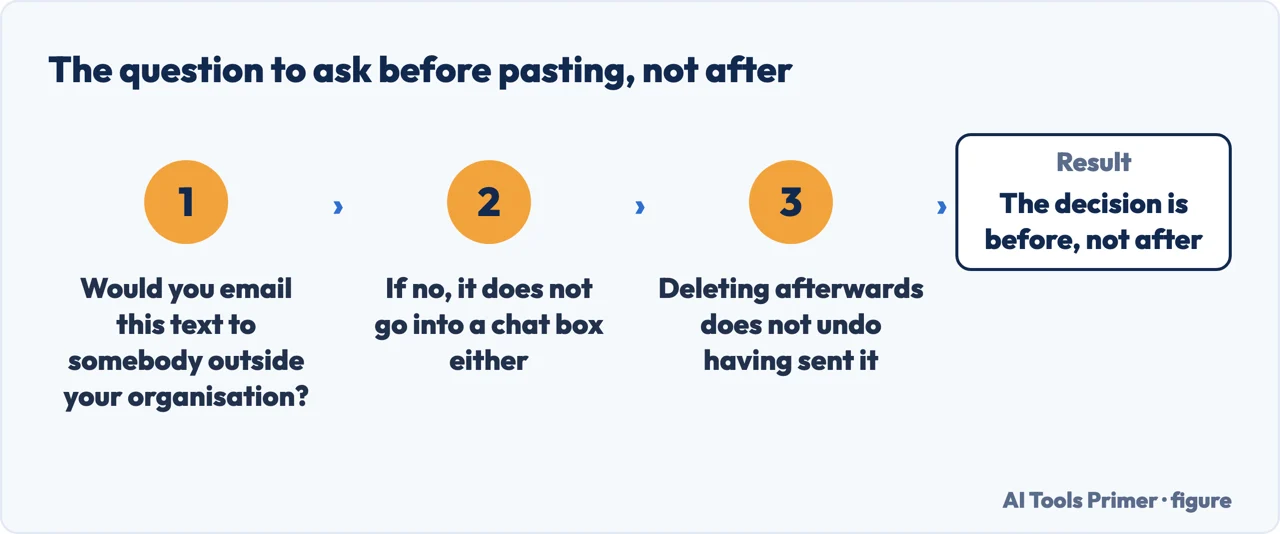
Which makes the practical rule simple and slightly uncomfortable. Deleting afterwards is damage limitation. Not pasting it in the first place is the control.
Archiving
Hides the conversation from the sidebar. Nothing else happens.
“Archived chats remain in your account under your standard retention settings — archiving does not delete them.”
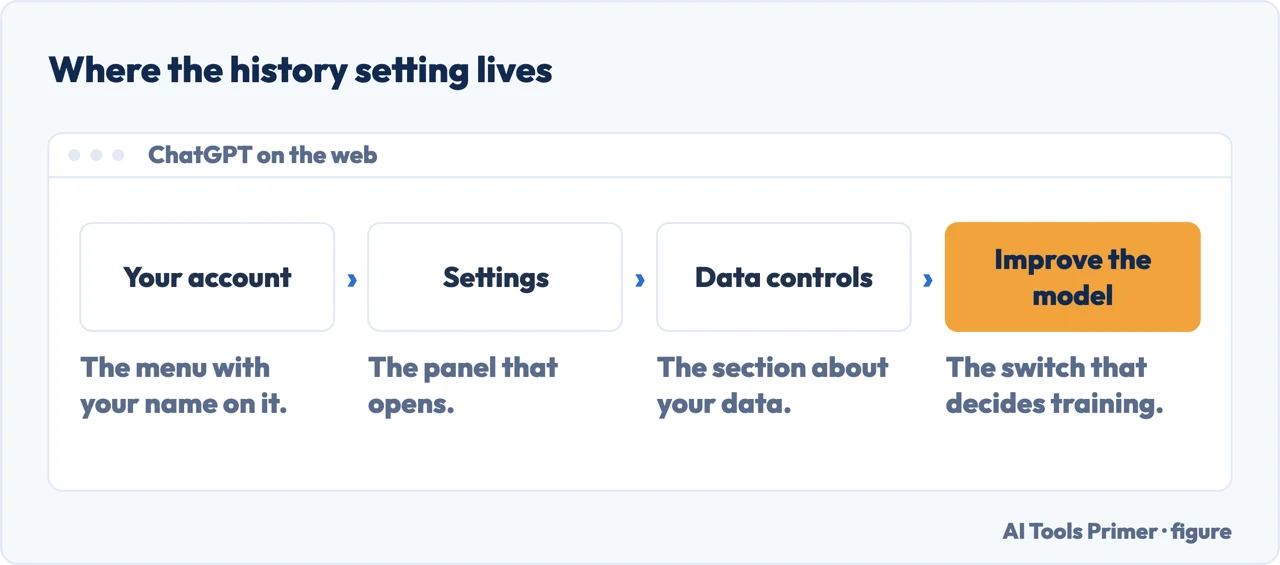
Reversible: you can unarchive it, or delete it later from Settings → Data controls → Archived Chats.
Deleting
Removes it from view now and schedules removal from OpenAI’s systems.
“You cannot recover a chat once it’s deleted. Deleted chats are not retrievable through the UI, APIs, or support.”
Irreversible, including for you. If there is anything in a conversation you might want, export it before deleting rather than after.
The distinction between those two buttons is the one that matters. Archiving feels like clearing up and is closer to putting something in a drawer — the conversation is out of sight and entirely intact. If your reason for tidying is privacy rather than clutter, archiving does nothing for it.
The part people get wrong, in OpenAI’s own words
If you have connected apps — mail, calendar, files — a conversation that used them holds that data too. And the instinctive fix does not work: “Disconnecting an app will stop future access to that data, but does not delete conversations that already used it.”
Archiving does not help either. “If you archive a conversation that used connected app data: the conversation remains stored in your account. Any connected app data referenced in that conversation also remains stored.” To remove both, “you must delete the conversation”.
So the order matters. Disconnecting first and tidying later leaves the copies in place. Delete the conversations, then disconnect.
“Chats and Library files are managed separately: deleting a chat does not delete files saved to Library. You can view and delete saved files from Library.”
From OpenAI’s retention page, and it is the sentence to read first if what you want gone is something you uploaded rather than something you typed. The document, the screenshot, the spreadsheet: those sit in a different place with a different control, and clearing the conversation leaves them where they are. Library is a second job, done from its own screen. The same page adds that files uploaded to a custom GPT or a project “are retained until the GPT or project is deleted”, and removed within 30 days after that.
Clearing everything at once
Settings → Data controls contains options to archive or delete all chats in one action. One caveat is stated on the same page, and it decides whether the step is reversible.
- Export first if you might want anything. Deletion is not recoverable through support, so the decision is final in a way most settings are not.
- Open Settings → Data controls. The bulk archive and bulk delete options live there rather than in the sidebar.
- Know what “all” includes. OpenAI notes that these actions “apply to all conversations, including those contained within projects” — which is where people keep the work they meant to keep.
- Then disconnect any apps, in that order, for the reason above.
Temporary chats, if you know in advance. A conversation started as temporary is not saved to your history — but the name promises more than OpenAI does. Its retention page says temporary chats “are automatically deleted from OpenAI systems within 30 days, even without manual deletion”. So this is the same window as a deleted chat, applied without being asked: a retention policy rather than an absence of one. That still makes it the right tool for a one-off question, because it removes a step you would otherwise have to remember.
Deleting your account is a different action with a different page, and it is worth knowing it exists as a separate thing rather than assuming that clearing chats achieves it. The guides below cover what each service says it keeps, which is the broader version of this question.
What this guide cannot tell you. Whether anything you sent has already been used, and by whom. Retention policy is a statement about intention and process; it is not an audit, and nobody outside the company can verify it from the outside. That is not an accusation — it is true of every service of this kind, and it is the reason the sentence above about not pasting it in the first place is the only advice on this page that does not depend on trusting somebody.
What “delete” means in law, from the regulator rather than the company. The UK’s Information Commissioner sets out the right to erasure — “also known as ‘the right to be forgotten’” — with two qualifications that matter more than any setting in an app: “the right is not absolute and only applies in certain circumstances”, and a company has “one month to respond to a request”. So deletion is a request with conditions and a clock, not a switch. Where you have that right, it is stronger than any button a product offers; where you do not, no button creates it.
Everything in quotation marks here comes from OpenAI’s own help centre on the date it was read, and that page had been updated the week before — which is a reason to check the current version rather than trust any summary of it, including this one.
Where to start
Four ways in.
- “I just want the chats gone.”
- The steps above — then what they keep
- “I connected my email or files to it.”
- Read the trap above, then what they keep
- “I do not want it saved in the first place.”
- Go to before you paste
- “Is this thing safe to use at all?”
- That is the bigger question
What they keep
Retention is a policy rather than a guarantee, and every service states it differently. These guides quote each one with the date.
Before you paste
The only control that does not depend on trusting a retention policy is the decision made before the text leaves your machine.
The bigger question
Deleting a history is one corner of a larger one: what this class of tool does with what you give it, and where the honest limits are.
Not covered here. It will not tell you your data is gone the moment you click delete. The company’s own wording is a thirty-day window with two named exceptions, and that is quoted above rather than softened.
It will not tell you archiving protects anything. It hides a conversation and keeps it, including any connected app data inside it.
And it will not sell you a privacy tool on the back of this question, which is what several guides around it exist to do. What holds instead is simple: every quotation on this page is from two OpenAI help-centre pages on the dates they were read, both updated within days of that.
Living with ChatGPT: the plan, the history and the data
What you are paying for, what it keeps, and how to stop both.
- The same job, in the other places it comes up
- ChatGPT Go vs Plus: what each one actually buys
- Is ChatGPT safe? It depends which question you mean
- How to cancel a subscription on iPhone, and when you cannot
Sources
- OpenAI Help Center — How to Delete and Archive Chats in ChatGPT, including the retention overview, the thirty-day window and its exceptions, and what happens to connected app data — help.openai.com, read 21 August 2026.
- OpenAI, Chat and File Retention Policies in ChatGPT (that chats are saved to the account until deleted manually; that deleting a chat or the account removes it from the account immediately and schedules permanent deletion from OpenAI systems within 30 days unless the material has already been de-identified and disassociated or must be retained for security or legal obligations; that archived chats follow the same retention rules as unarchived chats; that Temporary Chats are automatically deleted from OpenAI systems within 30 days even without manual deletion; that chats and Library files are managed separately and deleting a chat does not delete files saved to Library, which are viewed and deleted from Library itself; and that files uploaded to a custom GPT or project are retained until the GPT or project is deleted, after which the file is removed within 30 days unless legal or security exceptions apply) — help.openai.com, read 22 August 2026.
- Information Commissioner’s Office — Right to erasure: the right to be forgotten, the fact that it is not absolute, and the one-month deadline to respond — ico.org.uk, read 4 September 2026.
Written by Alberto Gulotta
Founder and editor of AI Tools Primer, writing from Palermo, Italy. Thirty-five years of taking computers apart, starting with a Commodore 64 — the long version is on the about page.
Something wrong on this page? Write to aitoolsprimer@gmail.com and it gets fixed.
Written on 21 August 2026 · last checked 7 September 2026.
Independence and limits
No affiliate links and no paid placements anywhere on this site. Nobody pays to appear here, and no company has seen this page before you did.
This is general information, not professional advice. Where a page touches money, health, safety or the law, it names its source and the date it was read — and your situation may still differ. See the privacy page and the cookie policy.