
iPhone · guide
How to check if iPhone is unlocked, and who can change it
By Alberto Gulotta · Updated · 11 min read
The answer is on a screen you already own, and it takes about ten seconds to reach. But before the taps, one piece of vocabulary decides whether you are even in the right place — and Apple raises it before the steps too.
“If you don’t want to switch carriers and your device is locked because you forgot the passcode, you don’t need to use the steps in this article.”
Apple puts that sentence near the top of its own page, ahead of the steps. One English word covers two unrelated situations. A phone locked against a passcode is shut to you. A phone locked to a carrier works perfectly well — it is shut to other networks. This guide is about the second. If it is the first you are facing, nothing below applies.
With that settled, here is the check itself. It is short enough that it is worth doing before reading anything else on this page.
The check, in Apple’s words
Four taps, no tools, no account, no phone call.
- Open the Settings app.
- Tap General.
- Tap About.
- Look for Carrier Lock. “If ‘No SIM restrictions’ appears next to Carrier Lock, your iPhone is unlocked.”
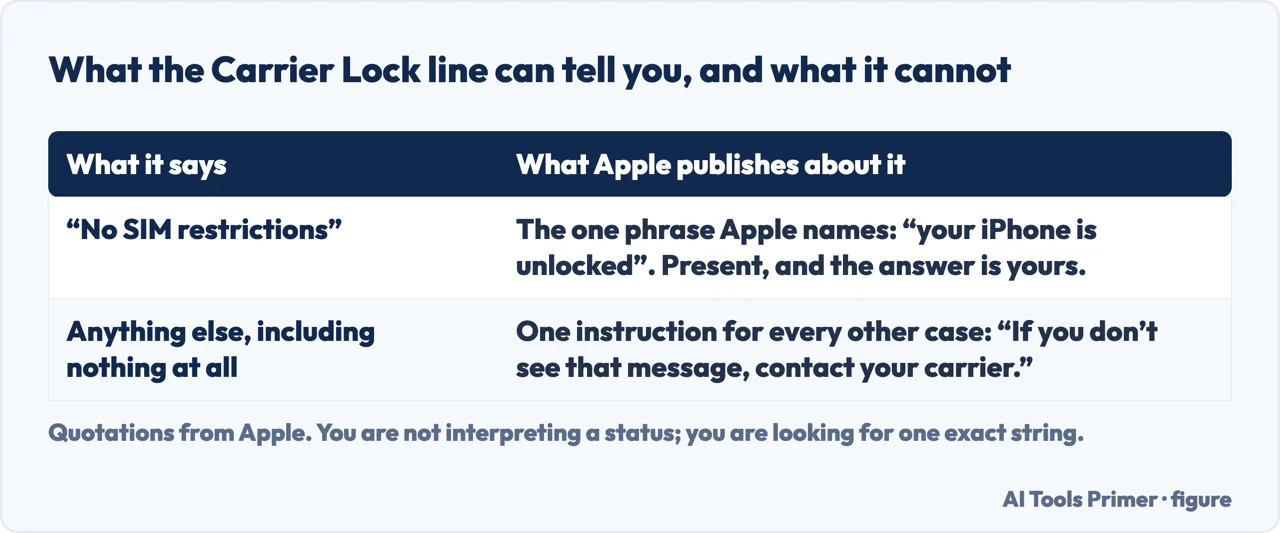
Now the part worth being precise about, because it is easy to read more into that line than is actually published. Apple names exactly one phrase: “No SIM restrictions”. It does not publish a list of the other things that line can read. Its instruction for every other case is the same one sentence — “If you don’t see that message, contact your carrier.”
That makes the test cleaner than it first appears, and it is a good habit for reading any settings screen. You are not interpreting a status; you are looking for one exact string. Present, and you are unlocked. Absent — whatever else is written there, including nothing at all — and the answer is not yours to determine from the phone. It is a question for the carrier.
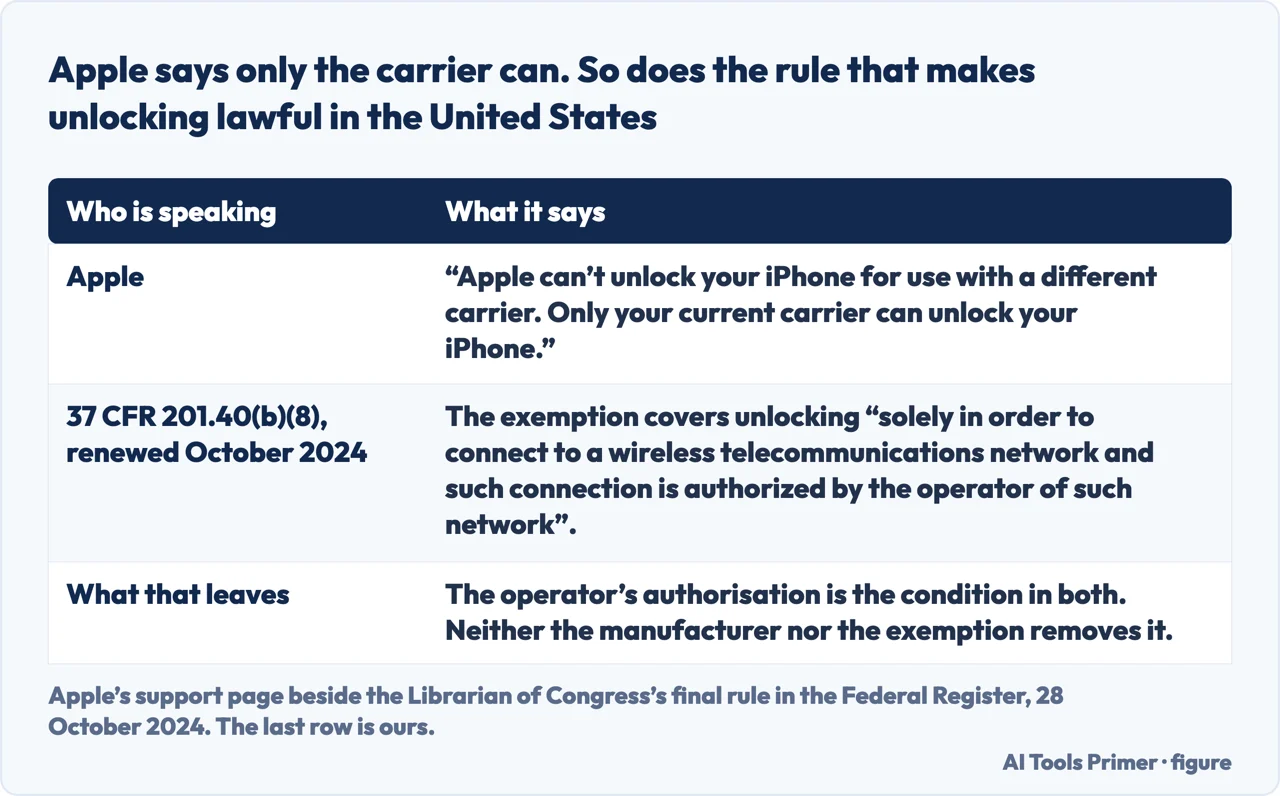
“Apple can’t unlock your iPhone for use with a different carrier. Only your current carrier can unlock your iPhone.”
Two sentences, and between them they answer most of what people go looking for after the check comes back locked. No setting on the phone and no step on Apple’s side changes the answer. The company that made the phone states that it is not the one holding the switch. The carrier is — and it is your current carrier, not the one you are hoping to move to.
That sentence of Apple’s turns up in a second place, and it is not a support page. In the United States, unlocking a handset is lawful because of an exemption to the anti-circumvention rule that the Librarian of Congress renews every three years. The version renewed in October 2024 covers computer programs “that enable wireless devices to connect to a wireless telecommunications network, when circumvention is undertaken solely in order to connect to a wireless telecommunications network and such connection is authorized by the operator of such network”. Read the last clause twice. The exemption that makes unlocking lawful carries the same condition Apple states, which means neither the manufacturer nor the law takes the carrier out of the middle of this.
It is worth sitting with that for a second, because it reframes the whole search. Apple does not say why the lock exists, or on what terms it comes off. It says only who holds it — and then places itself outside the question entirely.
Apple gives one timing note and no more: “It might take the carrier a few days to complete your request to unlock your iPhone.” And to check the status you contact the carrier again. So the request is not instant, and the confirmation comes from them rather than from something changing on your screen while you watch.
Who is answering this question. Of the first six results a search engine returned for it on the day this guide was written, four were published by companies that sell eSIM data plans, one by a magazine, and one by Apple. That is a count of who publishes, not a judgement on what they wrote — this guide has not audited those pages. It is worth knowing all the same, because a locked phone and an eSIM plan are two ends of the same purchase. It is also why everything above is quoted from the manufacturer, and why nothing here is for sale.
Once the unlock has gone through, there is a finishing step, and it depends on what you are switching to.
Once the carrier says it is done
Apple gives three finishing routes, and which is yours depends on what you have in your hand.
- You are activating an eSIM from a different carrier
- Apple sends you to its own eSIM instructions rather than giving separate steps here.
- You have a physical SIM from a different carrier
- Remove the old SIM card, insert the new one. “Your device will activate.”
- You have no other SIM to hand
- Back up the iPhone, erase it, then restore it from the backup you just made. Three steps, and Apple gives them in that order.
The third case is the one worth reading twice. Apple does not explain why erasing is needed when there is no second SIM to insert; it simply gives the three steps. What the order itself makes plain is worth stating anyway: the backup comes first, and erasing before making one leaves nothing to restore from.
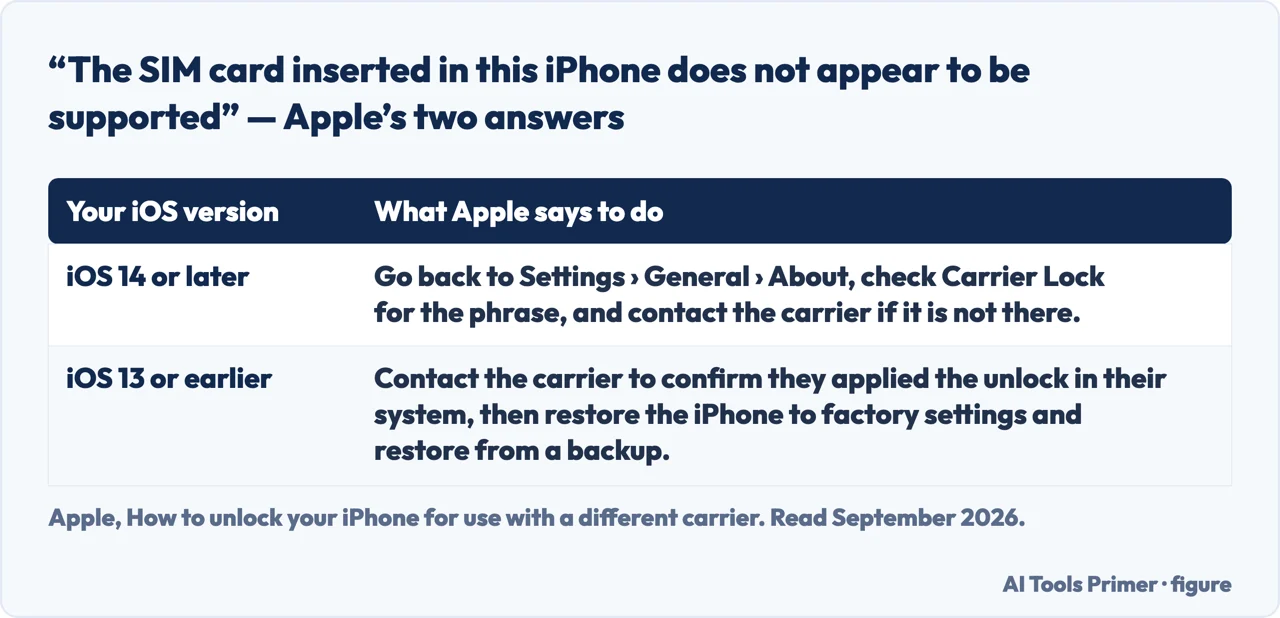
There is also a specific message Apple publishes, introduced with “You might see this message on your computer or iPhone”: “The SIM card inserted in this iPhone does not appear to be supported. Only compatible SIM cards from a supported carrier may be used to activate iPhone.” If you see that after being told the phone was unlocked, Apple splits the response by software version — on iOS 14 and later, go back to Settings → General → About and check Carrier Lock for the phrase, and contact the carrier if it is not there; on iOS 13 or earlier, contact the carrier to confirm they applied the unlock in their system, then restore the iPhone to factory settings and restore from a backup.
What this page will not tell you is what a carrier requires before it agrees — how much of a contract has to be paid off, how many days of service, whether a device bought outright is treated differently. Apple’s page does not say, because those are not Apple’s rules; they belong to each carrier and differ between them and between countries. The honest version of this answer stops at the door and tells you whose door it is.
The guides below take it in three directions: the other meaning of a locked phone, the switch itself once the carrier has released it, and the settings worth checking on a handset that has just changed network.
Where to start
Three ways in, and the first one is a different question wearing the same word.
- “My phone is locked and I cannot get into it.”
- That is the other meaning — start at two kinds of locked
- “It says locked. Now what?”
- Go to only the carrier
- “It is unlocked and I am switching.”
- That is after the switch
Two kinds of locked
Apple separates them on its own page, and the separation matters: one phone is shut to you, the other is shut to other networks. These guides are about the first kind.
Only the carrier
Apple states plainly that it cannot do this and that only your current carrier can. Which makes the next steps about the network you are leaving and the one you are joining.
After the switch
A phone that has changed network arrives with a handful of things that were tied to the old one. These are the ones worth checking in the first week.
Not covered here. It will not offer to unlock your phone, or point you at somebody who will. Apple says only your current carrier can do it, and that sentence is the whole of the useful answer.
It will not tell you what the Carrier Lock line says when a phone is locked. Apple publishes one phrase for unlocked and no list for anything else, so guessing at the alternatives would be inventing a screen.
And it will not tell you what your carrier will require before agreeing. Those conditions are set by each carrier, not by Apple, and no page written without knowing yours can answer it. What holds instead is simple: the Carrier Lock check and the statement that only the current carrier can unlock an iPhone are Apple’s own wording.
Sources
- Apple, How to unlock your iPhone for use with a different carrier (that an iPhone might be locked to its carrier and unlocking means being able to use it with different carriers; the check via Settings → General → About, where “No SIM restrictions” next to Carrier Lock means the iPhone is unlocked and any other case means contacting the carrier; the note that a device locked because of a forgotten passcode is a different matter not covered by the article; that Apple cannot unlock an iPhone for use with a different carrier and only the current carrier can; that it might take the carrier a few days to complete the request and that the carrier is who to contact to check its status; the three post-unlock routes — activating an eSIM from another carrier, removing the old physical SIM and inserting the new one so the device activates, or backing up, erasing and restoring when no other SIM is available; and the “The SIM card inserted in this iPhone does not appear to be supported” message with its separate responses for iOS 14 and later and for iOS 13 or earlier) — support.apple.com, read 22 August 2026.
- Federal Register, in the Government Publishing Office’s official copy — Exemption to Prohibition on Circumvention of Copyright Protection Systems for Access Control Technologies, the Librarian of Congress’s final rule of 28 October 2024 in the ninth triennial section 1201 proceeding, for the renewed unlocking exemption at 37 CFR 201.40(b)(8), which covers circumvention undertaken solely in order to connect a wireless device to a wireless telecommunications network and only where that connection is authorized by the operator of the network. The rule applies in the United States — www.govinfo.gov, read 6 September 2026.
Written by Alberto Gulotta
Founder and editor of AI Tools Primer, writing from Palermo, Italy. Thirty-five years of taking computers apart, starting with a Commodore 64 — the long version is on the about page.
Something wrong on this page? Write to aitoolsprimer@gmail.com and it gets fixed.
Written on 22 August 2026 · last checked 23 September 2026.
Independence and limits
No affiliate links and no paid placements anywhere on this site. Nobody pays to appear here, and no company has seen this page before you did.
This is general information, not professional advice. Where a page touches money, health, safety or the law, it names its source and the date it was read — and your situation may still differ. See the privacy page and the cookie policy.