
Docs · guide
How to change margins in Word, and whether you need to
By Alberto Gulotta · Updated · 8 min read
If you are looking up how to change margins in word because a brief specified one-inch margins, there is a fact worth knowing before you touch anything, and Microsoft states it in the first line of its own page.
“In Word, each page automatically has a one-inch margin.”
Microsoft’s own documentation, read 22 August 2026. Worth knowing before you change anything, because a large share of the searches around this question are for “one inch margins” — and if nobody has altered the document, you already have them. The useful first move is to check rather than to set.
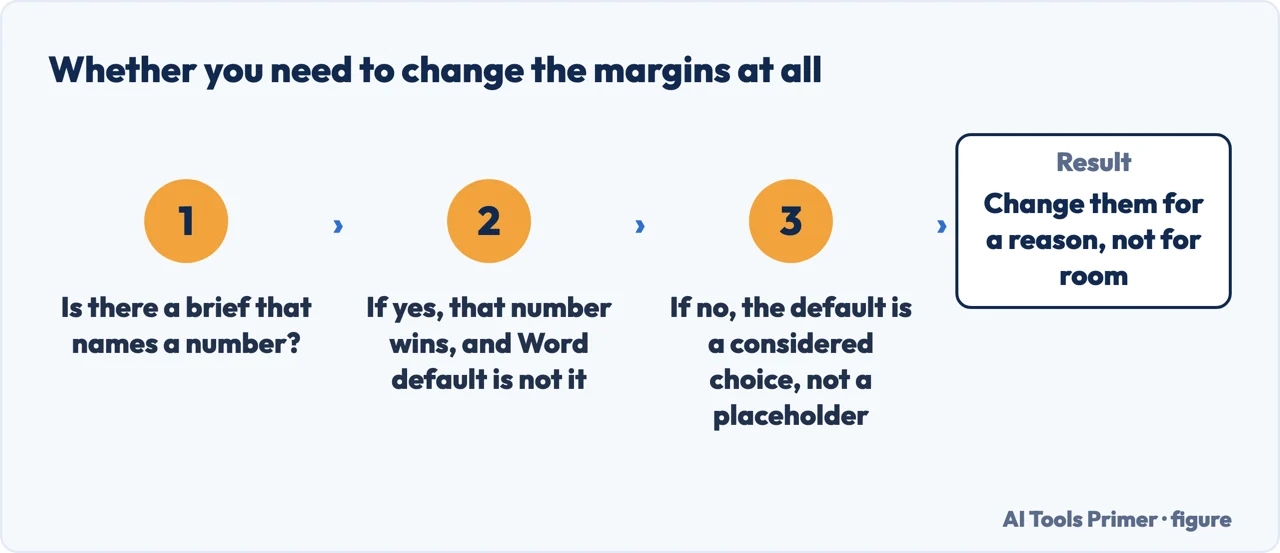
So the honest first step is Layout → Margins, reading what is currently selected, and changing nothing if it already says Normal. A document that has been through a template, a colleague or a download may have been altered; one you started yourself almost certainly has not.
Changing them, when you do need to
Microsoft’s instructions, which are two steps.
- “Select Layout → Margins.”
- “Select the margin configuration you want, or select Custom Margins to define your own margins.”
The predefined options are worth understanding rather than guessing at. Normal is the one-inch default. Narrow is half an inch all round, which fits more on a page and is precisely what an academic brief is trying to prevent. Moderate and Wide sit either side of Normal. If a requirement names a number, use Custom Margins and type it rather than hunting for a preset that happens to match.
The one case where a wider left margin is wrong
APA sets the requirement and names the exception in the same breath: “Use 1-inch margins on every side of the page for an APA Style paper. However, if you are writing a dissertation or thesis, your advisor or institution may specify different margins (e.g., a 1.5-inch left margin to accommodate binding).”
Setting the left margin to 1.5 inches looks like the answer. For a single-sided document that works. For anything printed double-sided it does not, because the binding edge alternates — left on odd pages, right on even — and a fixed left margin puts the extra space on the wrong side of half the document.
Word has a separate setting for exactly this. Microsoft lists it among what the margins dialog does: “allow extra margin space to allow for document binding”, alongside setting “margins for facing pages”. That is the gutter, and it is the correct tool — it adds space at the bound edge wherever that edge happens to be.
A wider left margin is the crude version of a problem Word already solves. Microsoft: “when the pages will be bound into a booklet form, you can define mirror dimensions (inside/outside) which will allow necessary space for binding”. And what that does in practice: “Mirror margins will print with the gutter margin alternating between the left and right. This is useful for printing booklets as it allows extra room on the edge for binding.” The extra space follows the binding from page to page instead of sitting stubbornly on the left of both.
Two more options in the same list do jobs that are tedious to do any other way. “2 pages per sheet prints consecutive pages side by side.” And “Book fold creates a booklet format that uses two pages per sheet printing and organizes pages to work correctly in a multi-page book” — that is the imposition problem, the one where page 1 has to share a sheet with the last page, done for you rather than worked out on paper.
With a long document there is a fourth: “Sheets per booklet appears when you select Book fold and lets you break a large document into several booklets to facilitate folding and binding.” A hundred pages folded as one booklet is a wedge; the same hundred as several is something a stapler can close.
Margins for part of a document only. Word applies margins to a section, so changing them affects everything unless you have created a section break first — the same mechanism behind page numbering and headers. If you need one landscape page in a portrait document, or wider margins for an appendix, the section break comes first and the margin change second. The page-numbering guide in this section covers how to see whether the break you think you made actually exists.
What margins are not for. Two habits produce documents that fall apart later. Making margins wider to create space at the top of a page, rather than using a page break or spacing — that space then appears on every page in the section. And making margins narrower to fit a page limit, which reviewers notice immediately and which most briefs specify precisely in order to prevent.
If your brief names a different style. The one-inch figure quoted here is APA’s, from APA. MLA and Chicago publish their own requirements, and a thesis will usually have institutional rules that override all of them — APA says so itself in the sentence quoted above. Where a number matters, it is worth reading from the document that will be used to mark you.
The default and the steps here are quoted from Microsoft’s support documentation and the margin requirement from APA Style, each read on 22 August 2026. The explanation of why a fixed left margin fails on double-sided printing is ours.
Where to start
Four ways in.
- “The brief says one-inch margins.”
- You probably already have them — then see the rest of the formatting
- “I am binding or printing it.”
- That is the red box — printing and binding
- “Only part of the document should change.”
- Section breaks — go to sections and breaks
- “I am not using Word.”
- See other editors
The rest of the formatting
Margins are one of four or five requirements marked together, and the others break in the same way.
Sections and breaks
Margins apply to a section. Almost every “it changed the whole document” problem is a missing section break.
Printing and binding
A document that will be printed double-sided or bound has requirements a screen document does not.
Other editors
The same setting exists everywhere, and the same distinction between a margin and a gutter comes with it.
Not covered here. It will not tell you to set one-inch margins without checking. Word’s default already is one inch, and Microsoft says so on its own page.
It will not suggest widening the left margin for binding. That fails on double-sided printing, and Word has a separate setting for the job.
And it will not narrow margins to fit a page limit, which is what the limit exists to prevent. What holds instead is simple: Word’s default is already one inch, quoted from Microsoft, and the margin requirement above is APA Style’s own.
Sources
- Microsoft on page margin basics in Word — that margins are the blank-space areas around the content, that mirror dimensions allow space for binding, that mirror margins alternate the gutter between left and right, and the 2 pages per sheet, Book fold and Sheets per booklet options — support.microsoft.com, read 24 August 2026.
- Microsoft Support — Change margins, including the one-inch default, Custom Margins, facing pages and extra space for binding — support.microsoft.com, read 22 August 2026.
- APA Style — Margins, on one-inch margins on every side and the exception for a dissertation or thesis — apastyle.apa.org, read 22 August 2026.
Written by Alberto Gulotta
Founder and editor of AI Tools Primer, writing from Palermo, Italy. Thirty-five years of taking computers apart, starting with a Commodore 64 — the long version is on the about page.
Something wrong on this page? Write to aitoolsprimer@gmail.com and it gets fixed.
Written on 22 August 2026 · last checked 23 September 2026.
Independence and limits
No affiliate links and no paid placements anywhere on this site. Nobody pays to appear here, and no company has seen this page before you did.
This is general information, not professional advice. Where a page touches money, health, safety or the law, it names its source and the date it was read — and your situation may still differ. See the privacy page and the cookie policy.