
Docs · guide
How to do a hanging indent on Word, and how deep it should be
By Alberto Gulotta · Updated · 9 min read
A hanging indent is a small formatting job, like striking a line through text in Google Docs, with one extra thing to know: the depth. If you are working out how to do a hanging indent on word for a reference list, the depth is published as well as the steps. So this guide gives the steps, and then the number to type into the box.
“A Hanging indent, also known as a second line indent, sets off the first line of a paragraph by positioning it at the margin, and then indenting each subsequent line of the paragraph.”
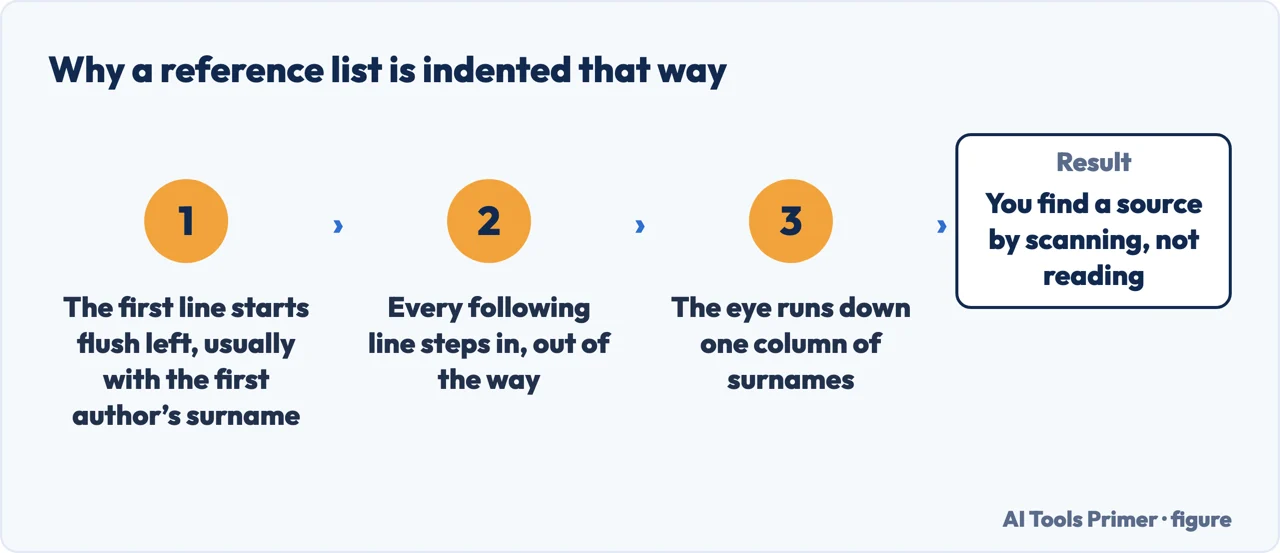
Microsoft’s own definition, read 28 September 2026. Worth reading once because the name is backwards from what it does — nothing hangs; the first line stays put and everything below it moves right. That is the shape an APA reference list takes.
The five steps, from Microsoft (Word for Windows)
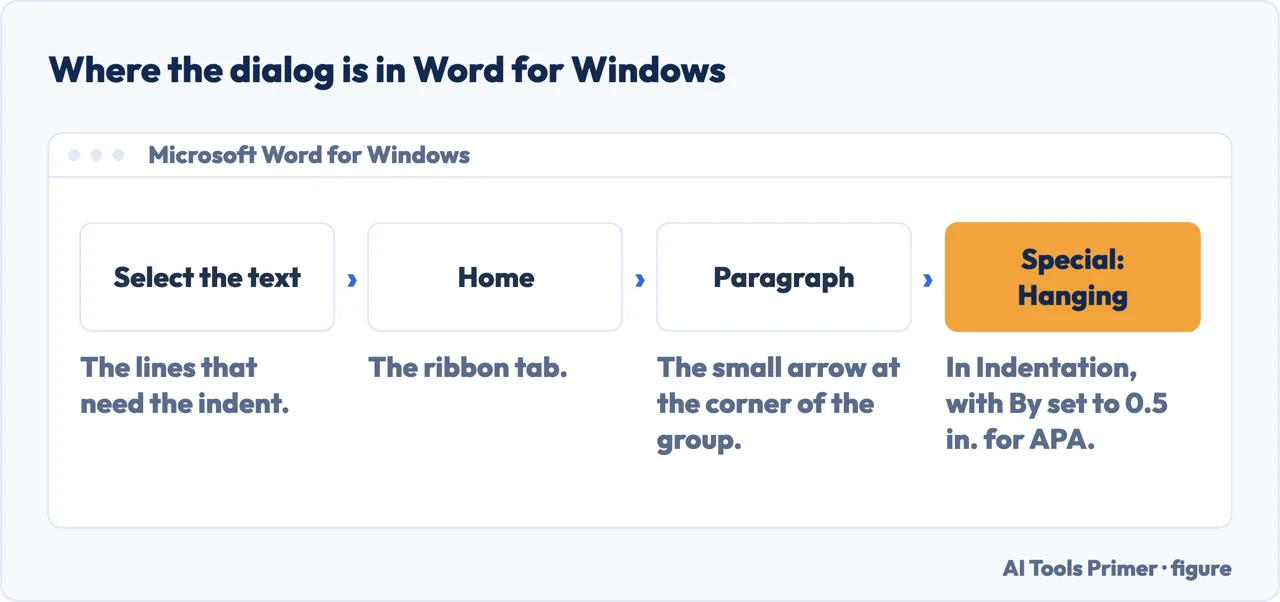
In Word for Windows the dialog is behind a small arrow at the corner of the Paragraph group. On a Mac, Microsoft’s route is “Go to Format > Paragraph.” Microsoft’s shortcut list has a quicker way on both: Ctrl+T on Windows and Cmd+T on a Mac, to “Create a hanging indent.”
- “Select the text where you want to add a hanging indent.”
- “Go to Home > Paragraph Settings dialog launcher > Indents and Spacing.”
- “Under Special, select Hanging.”
- “You can adjust the depth of the indent using the By field.”
- “Select OK.”
Microsoft gives separate instructions for Windows, macOS and the web version on the same page, so if the menu in front of you does not match, that is the tab to check. The part the instructions leave out is what to type into the By field — and for an APA reference list, the number is published.
The number, and the rest of the requirement
APA Style’s own reference list instructions, read 28 September 2026.
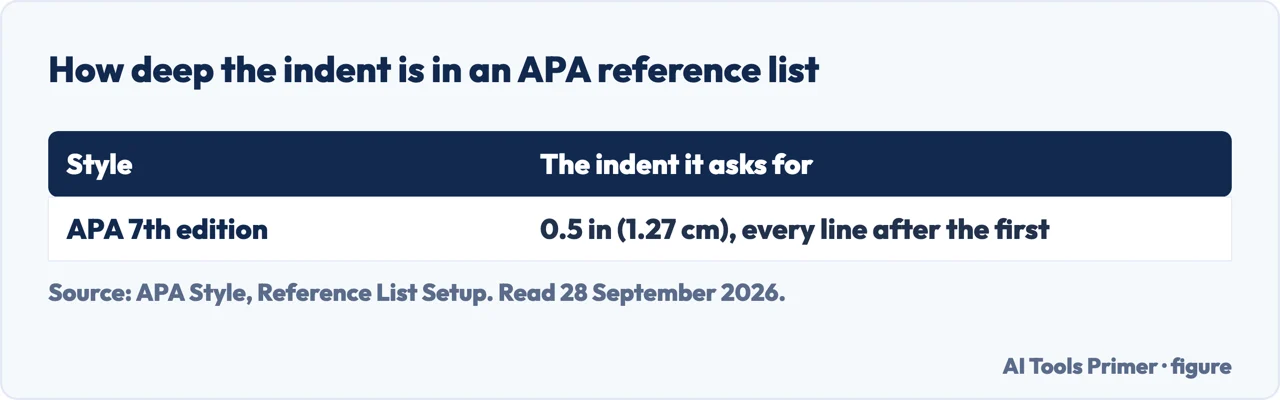
- “Apply a 0.5-in. hanging indent to the whole reference list, which keeps the first line of each reference flush left and indents any subsequent lines 0.5 in.” That is what goes in the By field.
- “Type each reference as a single paragraph, justified to the left margin.” One paragraph per reference — no Enter part-way through, which is what defeats the indent.
- “Write the label ‘References’ at the top of the page in bold and centered.”
- “Do not use the labels ‘Works Cited,’ ‘Bibliography,’ or ‘Reference List.’” APA is explicit about the words as well as the format.
- “Alphabetize references according to the first word of the reference (usually the last name of the first author).”
The habit that defeats it. If you have pressed Enter (Return on a Mac) part-way through a reference to make the lines break where you want, Word is now looking at several paragraphs rather than one, and each starts again at the margin. Shift+Enter (Shift+Return on a Mac) is different: Microsoft’s shortcut list calls it “Insert a line break”, and the reference stays one paragraph, so the indent holds but the break stays where you put it whatever the text does later. APA states the requirement directly: each reference is “a single paragraph”; and for a reference that runs onto the next page it asks you to “let your word-processing software automatically handle things like paragraph and line breaks.” Let the text wrap by itself, and set the indent once.
The same is true of spaces and tabs. Pushing the second line across with the space bar can look right on your screen and fall apart on somebody else’s, at a different font size, or when the document is exported. A hanging indent is a property of the paragraph rather than an arrangement of characters, and that is exactly why it survives being reformatted.
Doing it once for the whole list. Select the entire reference list before opening the dialog. Better still, if your document uses styles, set the hanging indent on the style rather than on the selection — then every reference you add later arrives already correct, and a change of mind is one edit rather than forty.
In Google Docs. Google’s route is Format › Align & indent › Indentation options, then “Hanging” under “Special indent”. The principle is identical and so are the traps: one paragraph per reference, no Enter part-way through, and the same half-inch depth if you are following APA. The dialogs differ in their last step too: Google puts the size in the box next to “Hanging” and ends with Apply; Word calls it By and ends with OK.
If your brief names a different style. The half inch quoted here is APA’s published figure for an APA reference list. MLA and Chicago have their own conventions for their own lists, and this guide does not repeat numbers it has not read in the relevant manual. The guide on bibliographies covers which list you have been asked for in the first place, which is worth settling before you format anything.
Every quotation from a document here is from Microsoft’s or Google’s support pages or from APA Style, read on the dates in the Sources. The points about Enter and line breaks, spaces, and setting the indent on a style are ours.
Where to start
Four ways in.
- “I just need the steps.”
- Above — then the depth in the apa rule
- “It will not indent properly.”
- An Enter part-way through — the habit that defeats it
- “I am in Google Docs.”
- Same setting, different menu — in google docs
- “Which list am I even making?”
- Go to the reference list
The reference list
The hanging indent is a formatting requirement of a document whose contents are governed by a style. Getting the contents right matters more than the indent.
The rest of the formatting
Spacing, headings and contents pages can be asked for alongside the indent, and they break the same way when they are done by hand.
Other editors
The same paragraph property exists in Google Docs too, under a different menu and the same name.
Handing it in
Formatting that was done properly survives export. Formatting done with spaces may not.
Not covered here. It will not leave the By field blank. For an APA reference list, APA publishes the figure — half an inch, quoted above.
It will not suggest lining it up with spaces or tabs. It can look right on your screen and fall apart on anybody else’s.
And it will not give a depth for a style it has not read. Where the number comes from APA, the page says so; for another style, its own manual is the source. What holds instead is simple: the steps come from each program’s maker and the half-inch figure is APA Style’s, read on the dates this page names.
Sources
- Microsoft Support — Create a hanging indent in Word, including the definition and the Windows, macOS and web instructions — support.microsoft.com, read 21 August and 28 September 2026.
- Microsoft Support — Keyboard shortcuts in Word — support.microsoft.com, read 28 September 2026.
- Google Docs Editors Help — Add a numbered list, bulleted list, or checklist, section “Add a hanging indent” — support.google.com, read 28 September 2026.
- APA Style — Reference list setup, including the half-inch hanging indent, the single-paragraph requirement and the label to use — apastyle.apa.org, read 28 September 2026.
Written by Alberto Gulotta
Founder and editor of AI Tools Primer, writing from Palermo, Italy. Thirty-five years of taking computers apart, starting with a Commodore 64 — the long version is on the about page.
Something wrong on this page? Write to aitoolsprimer@gmail.com and it gets fixed.
Written on 21 August 2026 · last checked 30 September 2026.
Independence and limits
No affiliate links and no paid placements anywhere on this site. Nobody pays to appear here, and no company has seen this page before you did.
This is general information, not professional advice. Where a page touches money, health, safety or the law, it names its source and the date it was read — and your situation may still differ. See the privacy page and the cookie policy.